> ## Documentation Index
> Fetch the complete documentation index at: https://docs.wavecentric.ai/llms.txt
> Use this file to discover all available pages before exploring further.
# Communication System
> Manage emails with contractors, suppliers, and customers with AI-powered contact matching.
The **Communication System** provides a unified platform for managing all email communications with contractors, suppliers, and customers. The system centralizes email operations through dedicated service addresses and offers intelligent contact matching capabilities.
## Workflow Visualization
```mermaid theme={null}
graph TD
subgraph Inbound["Inbound Customer Communications"]
Customer([Customer]) --> Support["Support Email Channel"]
Customer --> Chat["Chat Email Channel"]
Support --> History[Communication History]
Chat --> History
end
subgraph Outbound["Outbound Communications"]
User([User Wants to Send Email]) --> Decision{Has Contact Info?}
Decision -->|Has Email| Compose[Send Service Message]
Decision -->|Name + Company Only| AI[AI Contact Matching]
AI --> Parse["Parse Input Example:
alessandro at alpeadria"]
Parse --> Search[Database Search]
Search --> Match[Match Name + Company]
Match --> Email[Return Exact Email]
Email --> Compose
Compose --> Delivery[System-Managed Delivery]
Delivery --> Log[Auto-Logging & Archival]
Log --> History
end
History --> View[View Communication Tab]
View --> SearchFilter[Search & Filter]
View --> Audit[Audit Trail]
```
## Customer Enquiry Channels
The platform provides dedicated email addresses for customer communications:
* **`support@mail.wavecentric.ai`**: Primary channel for customer support and general enquiries.
* **`chat@mail.wavecentric.ai`**: Secondary channel for chat-based customer interactions and quick responses.
These dedicated addresses ensure all customer communications are properly routed and tracked within the system.
## Send Service Message
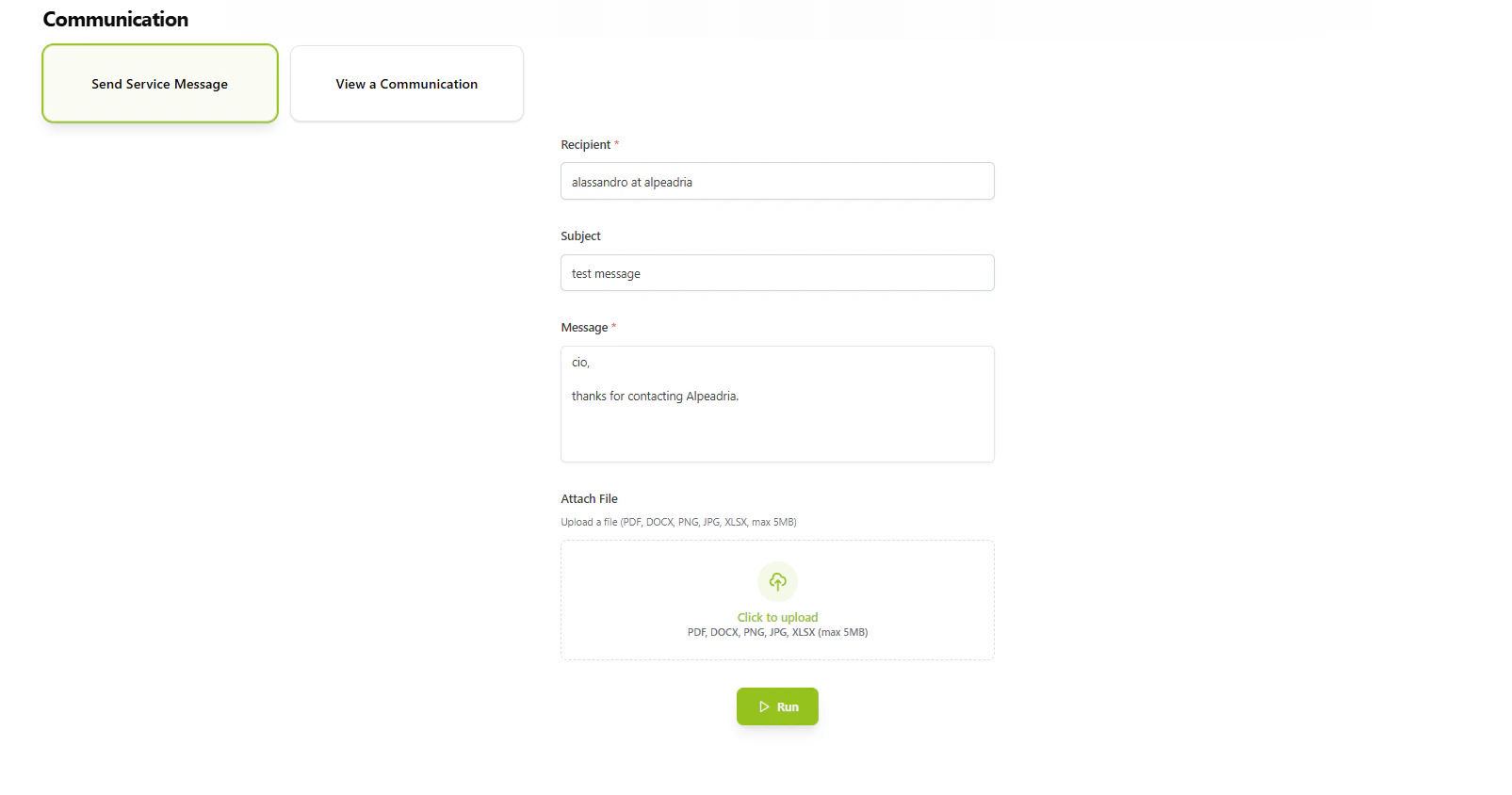
The **Send Service Message** tab enables users to compose and send emails to any business contact:
* **Unified Interface**: Single interface for sending emails to contractors, suppliers, and any other business contacts.
* **System-Managed Delivery**: All emails are routed through the centralized communication system, ensuring tracking and archival.
* **Structured Communication**: Every message sent through the system is automatically logged for future reference.
 ## View Communication
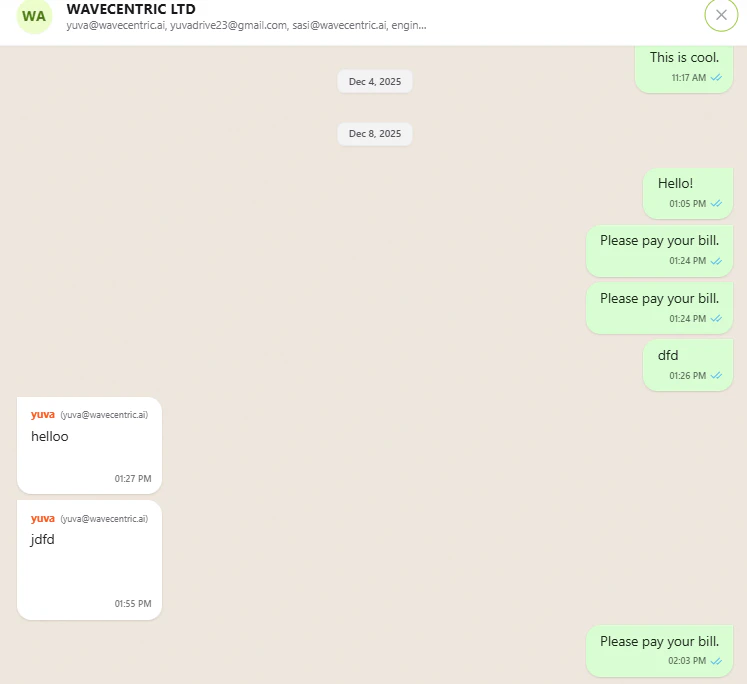
The **View Communication** tab provides complete visibility into all sent messages:
* **Message History**: Chronological view of all communications sent through the system.
* **Search & Filter**: Quickly locate specific messages or communication threads.
* **Audit Trail**: Complete record of who sent what message and when.
* **Communication Tracking**: Track the status and delivery of all messages.
This ensures transparency and accountability in all business communications.
## AI-Powered Contact Matching
The platform implements **AI-powered contact matching** that resolves partial contact information to exact email addresses:
* **Natural Language Input**: Users can input contacts in natural language format (e.g., "alessandro at alpeadria").
* **Database Matching**: The AI engine searches the database for matching contacts based on name and company information.
* **Exact Email Resolution**: Automatically retrieves the correct email address from the database.
* **No Email Required**: Users can send emails without knowing the exact email address—only the name and company.
**Example Use Case**:
* **User Input**: "alessandro at alpeadria"
* **AI Processing**: Matches "Alessandro" (name) + "Alpeadria" (company) against database records
* **Result**: Retrieves exact email: `alessandro.rossi@alpeadria.com`
## View Communication
The **View Communication** tab provides complete visibility into all sent messages:
* **Message History**: Chronological view of all communications sent through the system.
* **Search & Filter**: Quickly locate specific messages or communication threads.
* **Audit Trail**: Complete record of who sent what message and when.
* **Communication Tracking**: Track the status and delivery of all messages.
This ensures transparency and accountability in all business communications.
## AI-Powered Contact Matching
The platform implements **AI-powered contact matching** that resolves partial contact information to exact email addresses:
* **Natural Language Input**: Users can input contacts in natural language format (e.g., "alessandro at alpeadria").
* **Database Matching**: The AI engine searches the database for matching contacts based on name and company information.
* **Exact Email Resolution**: Automatically retrieves the correct email address from the database.
* **No Email Required**: Users can send emails without knowing the exact email address—only the name and company.
**Example Use Case**:
* **User Input**: "alessandro at alpeadria"
* **AI Processing**: Matches "Alessandro" (name) + "Alpeadria" (company) against database records
* **Result**: Retrieves exact email: `alessandro.rossi@alpeadria.com`
 This feature significantly reduces friction in business communications, allowing users to focus on the message content rather than maintaining comprehensive contact lists.