> ## Documentation Index
> Fetch the complete documentation index at: https://docs.wavecentric.ai/llms.txt
> Use this file to discover all available pages before exploring further.
# Inquiry List
> Admin dashboard for monitoring, verifying, and editing automatically generated quotations.
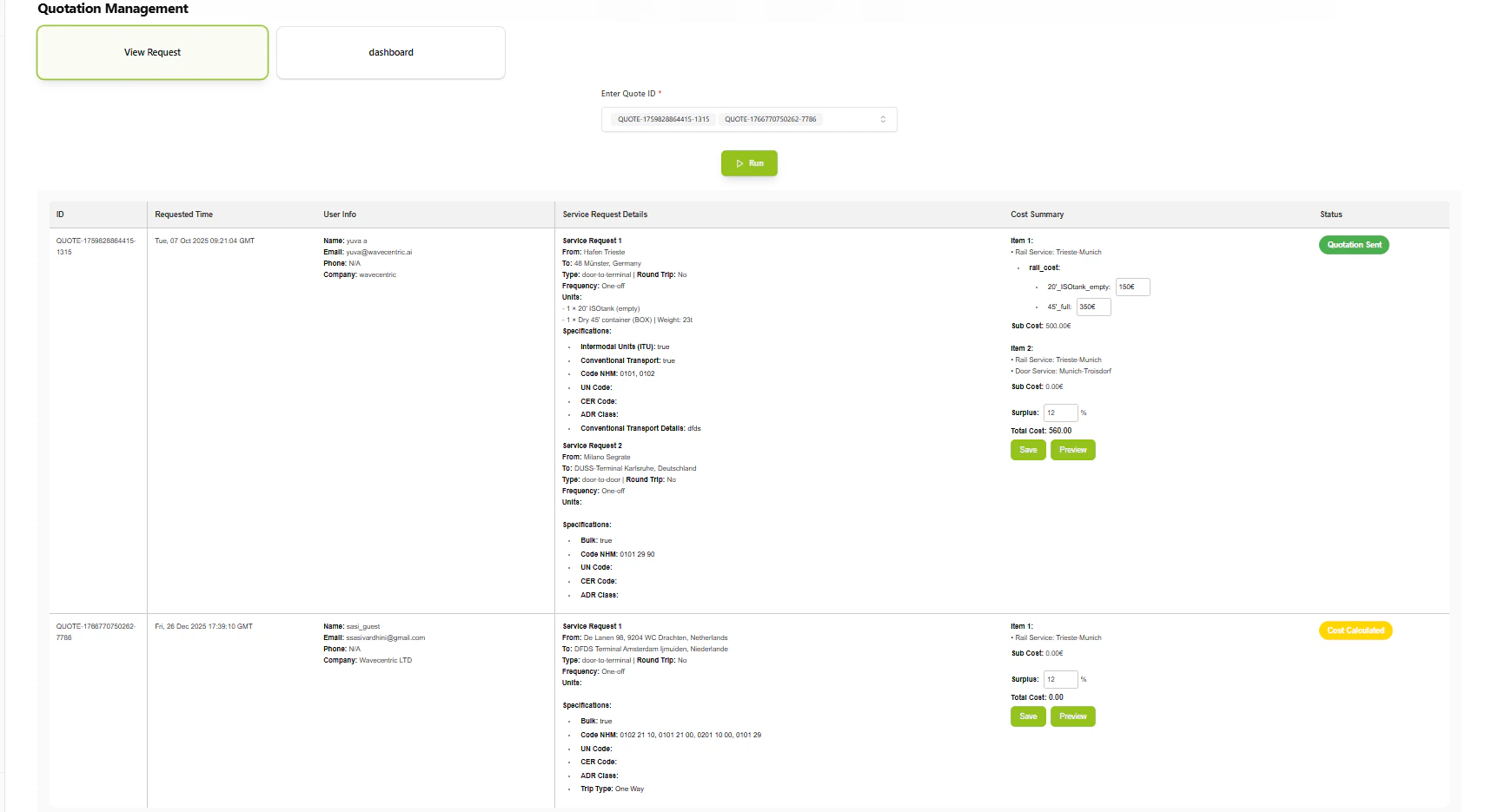
**Inquiry List** serves as the operational cockpit for sales and administration teams, providing a centralized view of all automatically generated offers with verification and editing capabilities.
## Workflow Visualization
```mermaid theme={null}
graph TD
Admin([Admin Opens
Dashboard]) --> ViewList[View Quotation
List]
ViewList --> Filter{Filter by
Status}
Filter --> Draft[Draft]
Filter --> Verified[Verified]
Filter --> Sent[Sent]
Filter --> Calculated[Cost Calculated]
ViewList --> SelectQuote[Select Quotation]
SelectQuote --> ViewDetails[View Details]
ViewDetails --> Actions{Available
Actions}
Actions --> Edit[Edit Quotation]
Actions --> Preview[Preview]
Actions --> Verify[Mark as Verified]
Edit --> ModifyCosts[Modify Cost
Structure]
ModifyCosts --> ApplyDiscount[Apply Discounts/
Adjustments]
ApplyDiscount --> Save[Save Changes]
Preview --> GeneratePDF[Generate PDF
Preview]
Verify --> UpdateStatus[Update Status
to Verified]
UpdateStatus --> ReadyToSend[Ready to Send]
```
## What It Does
* **Dashboard Overview**: Centralized view of all active quotations
* **Status Tracking**: Monitors quotation lifecycle (Draft → Verified → Sent)
* **Quick Actions**: Immediate access to View, Edit, and Preview functionalities
* **Cost Verification**: Review automatically generated pricing
* **Manual Adjustments**: Edit and customize cost structures before sending
## Key Features
### Automated Cost Generation
Upon inquiry creation, the Pricing Engine instantly calculates offers based on:
* **Service Type**: Predefined cost structures for specific logistics services
* **Inquiry Details**: Origin, destination, cargo type from customer request
* **Route Data**: Optimization data from Route Scanner
### Dashboard Visibility
* Comprehensive list of all active quotations
* Status tracking (Draft, Cost Calculated, Verified, Sent)
* Quick action buttons for each quotation
### Verification and Editing
* **Edit Option**: Modify auto-generated cost structures
* **Discounting**: Apply specific discounts or adjustments
* **Human Oversight**: Ensure pricing accuracy before customer transmission
 ## How to Use
### Access Dashboard
Navigate to Inquiry List to see all active quotations with their current status.
### Review Quotation
Select a quotation to view detailed cost breakdown, route information, and customer details.
### Edit if Needed
Modify pricing, apply discounts, or adjust cost structures as required by sales strategy.
### Verify and Send
Mark quotation as verified when ready, then proceed to send to customer.
## Technical Details
**Database:**
* Inquiries: `datalake_main.db_ai-loop_CRM_Inquiries`
* Quotations: Auto-generated from cost calculation flow
## How to Use
### Access Dashboard
Navigate to Inquiry List to see all active quotations with their current status.
### Review Quotation
Select a quotation to view detailed cost breakdown, route information, and customer details.
### Edit if Needed
Modify pricing, apply discounts, or adjust cost structures as required by sales strategy.
### Verify and Send
Mark quotation as verified when ready, then proceed to send to customer.
## Technical Details
**Database:**
* Inquiries: `datalake_main.db_ai-loop_CRM_Inquiries`
* Quotations: Auto-generated from cost calculation flow