> ## Documentation Index
> Fetch the complete documentation index at: https://docs.wavecentric.ai/llms.txt
> Use this file to discover all available pages before exploring further.
# AI Assistant
> The central intelligent hub for searching flows, executing automations, and querying logistics data.
 ## Core Capabilities
### 1. Intelligent Search & Navigation
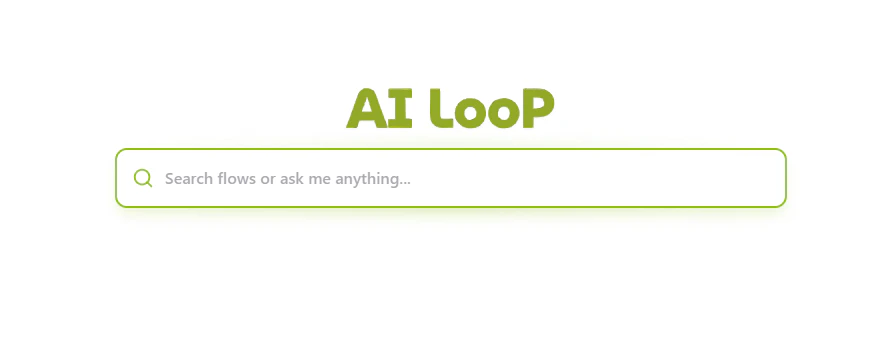
Instead of navigating through deep menus, you can simply type what you're looking for. The AI Assistant searches across:
* **Automation Flows**: Find specific routines like "Send Quote" or "Check Shipment Status".
* **Documentation**: Get help with platform features.
* **Data Collections**: Quickly find links to specific databases or reports.
## Core Capabilities
### 1. Intelligent Search & Navigation
Instead of navigating through deep menus, you can simply type what you're looking for. The AI Assistant searches across:
* **Automation Flows**: Find specific routines like "Send Quote" or "Check Shipment Status".
* **Documentation**: Get help with platform features.
* **Data Collections**: Quickly find links to specific databases or reports.
 ### 2. Conversational Assistance
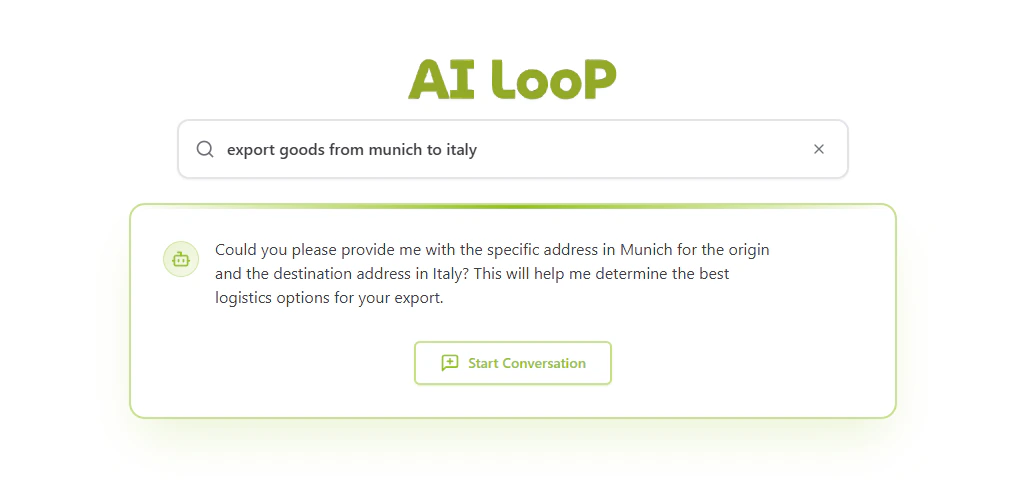
Beyond searching for flows, the AI Assistant provides real-time answers to logistics queries.
* **Natural Language Queries**: Ask about shipping routes, regulations, or general logistics advice.
* **Clarification Dialogues**: The assistant can ask follow-up questions to better understand your requirements before suggesting an action.
* **Seamless Transition**: Start a conversation directly from the search bar to refine complex requests.
### 2. Conversational Assistance
Beyond searching for flows, the AI Assistant provides real-time answers to logistics queries.
* **Natural Language Queries**: Ask about shipping routes, regulations, or general logistics advice.
* **Clarification Dialogues**: The assistant can ask follow-up questions to better understand your requirements before suggesting an action.
* **Seamless Transition**: Start a conversation directly from the search bar to refine complex requests.
 ### 3. Flow Execution
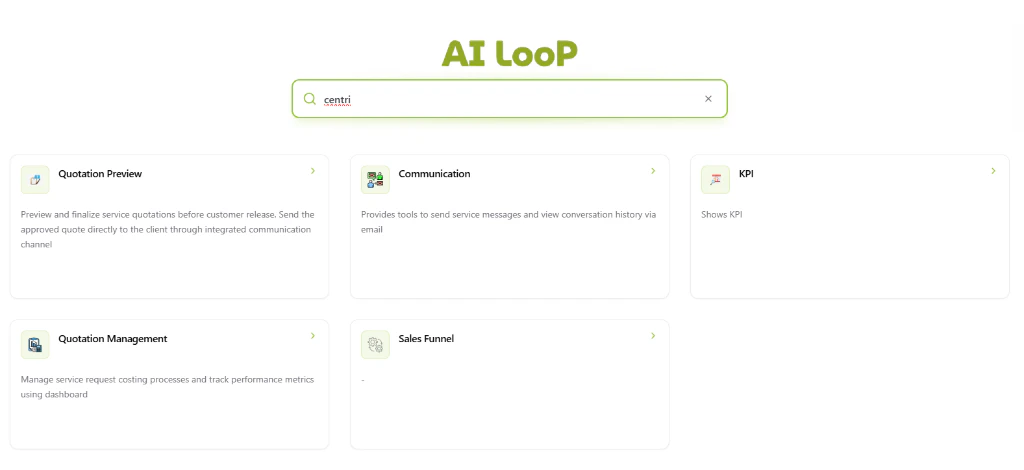
Execute complex backend workflows directly from the search bar through interactive cards:
* **Direct Commands**: Type "Execute \[Flow Name]" to trigger a specific automation.
* **Contextual Results**: Results are presented as cards with descriptions, providing immediate clarity on what each automation does (e.g., Quotation Preview, Communication tools, or KPI monitoring).
* **One-Click Access**: Click any result card to trigger the flow or navigate to the relevant section.
### 4. Usage Analytics
The AI Assistant keeps track of your most frequently used flows and actions, positioning your most important tools right where you need them for faster access.
## How to Use the AI Assistant
1. **Access the Hub**: Click on the "AI Assistant" icon in the sidebar or navigate to `/ai-assistant`.
2. **Type your Query**: Use natural language. For example:
* *"How do I create a new inquiry?"*
* *"Where are the analytics reports?"*
* *"Show me the logistics network map"*
3. **Select an Action**: Choose from the suggested flows, pages, or AI responses.
4. **Execute**: Run flows directly within the interface and see real-time output.
### 3. Flow Execution
Execute complex backend workflows directly from the search bar through interactive cards:
* **Direct Commands**: Type "Execute \[Flow Name]" to trigger a specific automation.
* **Contextual Results**: Results are presented as cards with descriptions, providing immediate clarity on what each automation does (e.g., Quotation Preview, Communication tools, or KPI monitoring).
* **One-Click Access**: Click any result card to trigger the flow or navigate to the relevant section.
### 4. Usage Analytics
The AI Assistant keeps track of your most frequently used flows and actions, positioning your most important tools right where you need them for faster access.
## How to Use the AI Assistant
1. **Access the Hub**: Click on the "AI Assistant" icon in the sidebar or navigate to `/ai-assistant`.
2. **Type your Query**: Use natural language. For example:
* *"How do I create a new inquiry?"*
* *"Where are the analytics reports?"*
* *"Show me the logistics network map"*
3. **Select an Action**: Choose from the suggested flows, pages, or AI responses.
4. **Execute**: Run flows directly within the interface and see real-time output.