> ## Documentation Index
> Fetch the complete documentation index at: https://docs.wavecentric.ai/llms.txt
> Use this file to discover all available pages before exploring further.
# New Users
> Learn how to invite new users to AI Loop, assign roles (Admin, Guest), and understand the permissions for each role.
## Inviting a New User
### Invitation Steps
Follow these steps to add a new member to your workspace.
Navigate to the **Settings** page and click on **Membership & Permissions**.
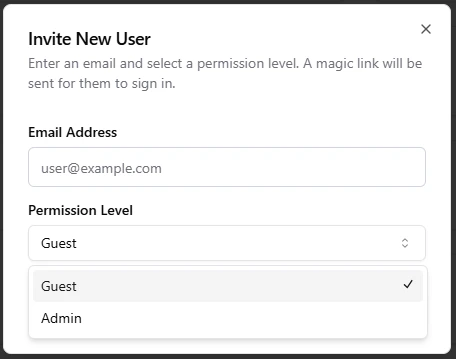
Click the **"Invite New User"** button to open the invitation modal.
Enter the new user's **email address** and select their role from the dropdown menu (Admin or Guest).
Click **"Send Invitation"**. An email will be sent to the user with a login link, and their account will be created in a pending state.