> ## Documentation Index
> Fetch the complete documentation index at: https://docs.wavecentric.ai/llms.txt
> Use this file to discover all available pages before exploring further.
# Fleet Management Suite
> Railway Graph Generation and Simulation
## 1. Overview
**Zig Zag Configurator** (Generation of Railway Graphs) empowers users to dynamically model logistics networks. It fulfills the requirement to generate railway graphs that allow operators to run simulations and evaluate different "what-if" scenarios based on different logistics options.
This capability is essential for testing hypothetical network configurations before implementation.
## 2. Scope and Business Meaning
Functionally, this module covers the **Network Modeling & Simulation** layer. It ensures:
* **Dynamic Graph Creation**: Building new logistics graphs on-the-fly based on user configuration.
* **Scenario Testing**: Evaluating how a new rail link or terminal would impact the broader network.
* **Option Comparison**: Running simulations on these generated graphs to compare costs, times, and feasibility against existing infrastructure.
## 3. Implemented Functionalities
The platform implements "Railway Graph Generation" through **Zig Zag** within the **Orchestrator** module.
### Graph Construction
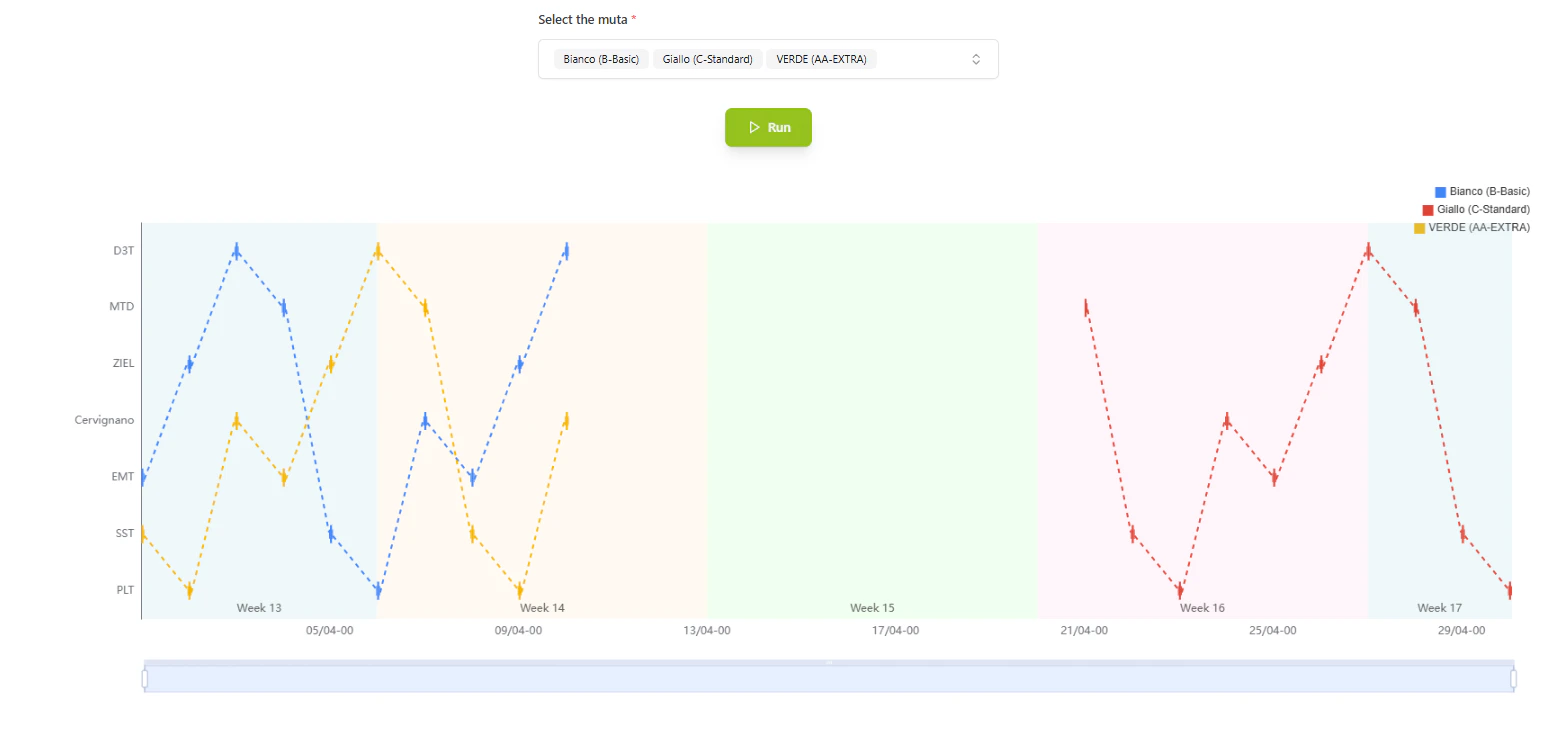
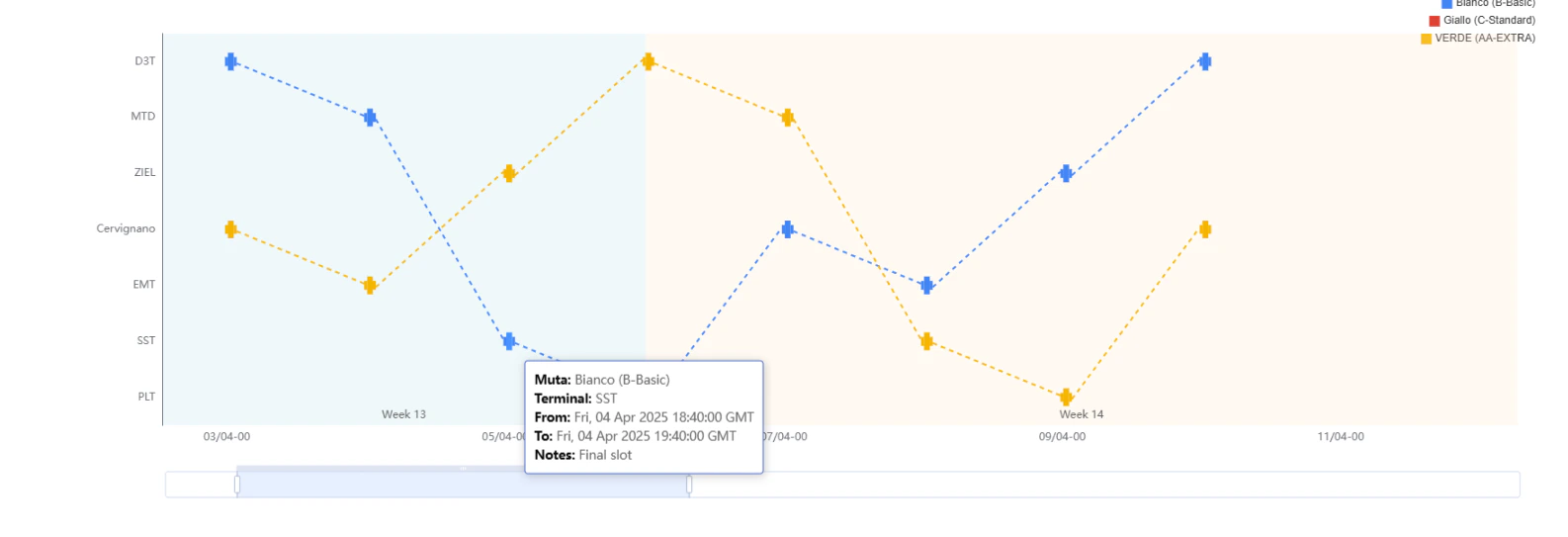
The **Zig Zag** tool allows users to visually construct complex railway paths:
* **Node Linking**: Users can link distinct network nodes (terminals, hubs) to create a custom "train graph."
* **Visual Validation**: The interface provides immediate visual feedback on the connectivity and validity of the proposed rail segments.
 ### Simulation & Analysis
Once a graph is generated via Zig Zag, it becomes an input for the simulation engine:
* **Logistics Options**: The system evaluates distinct logistics variables (different providers, timetables) on this newly generated topology.
### Simulation & Analysis
Once a graph is generated via Zig Zag, it becomes an input for the simulation engine:
* **Logistics Options**: The system evaluates distinct logistics variables (different providers, timetables) on this newly generated topology.
 ## 4. Technical Enablement
The platform enables this deliverable through:
### Dynamic Topology Engine
* **Graph-in-Memory**: The system creates temporary, in-memory graph structures that exist solely for the user's session, allowing for "what-if" experimentation without polluting the production database.
* **Orchestrator Integration**: The generated graph is natively understood by the Orchestrator's routing algorithms, meaning all standard optimization logic applies immediately to the new configuration.
## 5. Navigation
* **Menu Path**: `Fleet Management > Zig Zag`
## 4. Technical Enablement
The platform enables this deliverable through:
### Dynamic Topology Engine
* **Graph-in-Memory**: The system creates temporary, in-memory graph structures that exist solely for the user's session, allowing for "what-if" experimentation without polluting the production database.
* **Orchestrator Integration**: The generated graph is natively understood by the Orchestrator's routing algorithms, meaning all standard optimization logic applies immediately to the new configuration.
## 5. Navigation
* **Menu Path**: `Fleet Management > Zig Zag`