> ## Documentation Index
> Fetch the complete documentation index at: https://docs.wavecentric.ai/llms.txt
> Use this file to discover all available pages before exploring further.
# CCM 02 Automating Custom Offer Creation
> Platform capabilities for automatically generating and monitoring tailor-made customer offers.
## 1. Overview
**CCM 02 Automating Custom Offer Creation** enables the system to generate immediate, personalized value propositions for customers. This deliverable minimizes the latency between inquiry and quote by leveraging automated logic to construct tailor-made offers. It provides a structured lifecycle for these offers from automated creation to human verification and monitoring ensuring speed without sacrificing accuracy or personalization.
## 2. Scope and Business Meaning
Functionally, this deliverable covers the **automated commercial lifecycle**. It ensures:
* **Tailor-made Generation**: Every offer is uniquely constructed based on the specific parameters of the customer's request (service type, route, cargo).
* **Evolution Monitoring**: The platform provides a mechanism to track the status of an offer from "Draft" (Auto-generated) to "Verified" (Human-checked) to "Sent".
* **Response Speed**: The system replaces manual calculation with instant "Predefined Cost" logic, allowing for rapid commercial response.
## 3. Implemented Functionalities
The following functionalities fulfill the requirements of CCM 02, mapping directly to the "automatically generate tailor-made offers" intent.
### Automated Cost Construction
**Requirement Addressed**: *"Automatically generate tailor-made offers"*
The platform implements an automated commercial engine that triggers immediately upon inquiry creation (`flow=quotation-management`).
* **Logic-Based Pricing**: The system applies predefined cost logic to the specific inquiry details (e.g., Distance × Rate + Service Fee).
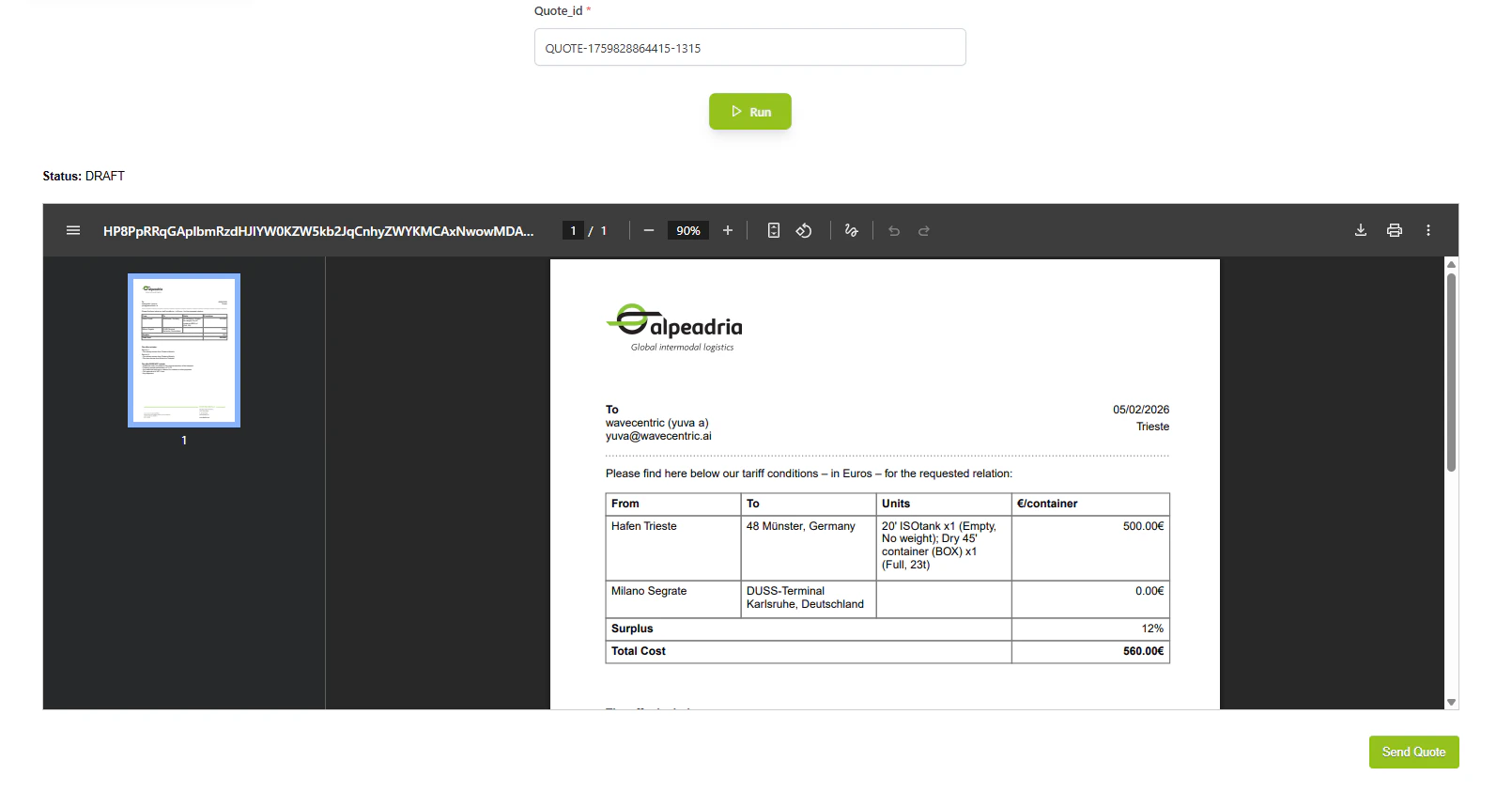
* **Instant Draft**: A draft quotation is created without human intervention, populated with a calculated "Predefined Cost".
### Quotation Management Dashboard
**Requirement Addressed**: *"Monitoring the evolution of the offers"*
The **Quotation Management** interface provides the operational view for tracking offer lifecycle.
* **Status Tracking**: Admin and Sales teams can view the real-time status of all generated offers.
* **Verification & Editing**: Offers can be opened, reviewed, and adjusted (e.g., applying discounts) before finalization.
* Refer : [Quotation Management](/functionalities/quotation-management)
### Template-Based Personalization
**Requirement Addressed**: *"Personalizing customer response"*
The **Quotation Preview** module ensures that the final output is both standardized and personalized.
* **Dynamic Template Rendering**: The system generates a professional document (PDF/HTML) using the existing template but populating it with the specific inquiry details.
* **One-Click Transmission**: Verified offers are sent immediately via the "Send" action, triggering the dispatch flow.
* Refer : [Quotation Preview](/functionalities/quotation-preview)
## 4. Technical Enablement
The platform enables this deliverable through a tightly integrated technical architecture:
### Pricing Engine & Logic
* **Calculation Logic**: Backend algorithms utilize `service_id` and `route_data` to computate base costs.
* **Flow Orchestration**: The `quotation-management` flow orchestrates the passing of data from the Inquiry service to the Pricing service.
### APIs
* **`GET /api/v1/flows?flow=quotation-management&command=view-request`**: Retrives the specific inquiry and its calculated offer data for verification.
* **`POST /api/v1/quotation/send`**: Triggers the final transmission of the verified offer.
### UI Components
* **Quotation Dashboard**: Grid view for monitoring offer status.
* **Preview Modal**: Visual component for rendering the final customer-facing document.