> ## Documentation Index
> Fetch the complete documentation index at: https://docs.wavecentric.ai/llms.txt
> Use this file to discover all available pages before exploring further.
# MCD 16 - Fleet Management (Graph Generation)
> Generate railway graphs from the Fleet Management suite
## 1. Overview
**Fleet Management (Graph Generation)** empowers users to dynamically model logistics networks. It fulfills the requirement that "the Multimodal Chain Design module will have to offer the possibility of being able to generate railway graphs starting from Fleet Management that will allow users to run simulations and evaluate different 'what-if' scenarios, based on different logistics options."
This capability is essential for testing hypothetical network configurations before implementation.
## 2. Scope and Business Meaning
Functionally, this deliverable covers the **Network Modeling & Simulation** layer. It ensures:
* **Dynamic Graph Creation**: Building new logistics graphs on-the-fly based on user configuration.
* **Scenario Testing**: Evaluating how a new rail link or terminal would impact the broader network.
* **Option Comparison**: Running simulations on these generated graphs to compare costs, times, and feasibility against existing infrastructure.
## 3. Implemented Functionalities
The platform implements "Railway Graph Generation" through **Fleet Management** within the **Orchestrator module**.
### Fleet Management Graph Construction
**Requirement Addressed**: *"Generate railway graphs starting from Fleet Management"*
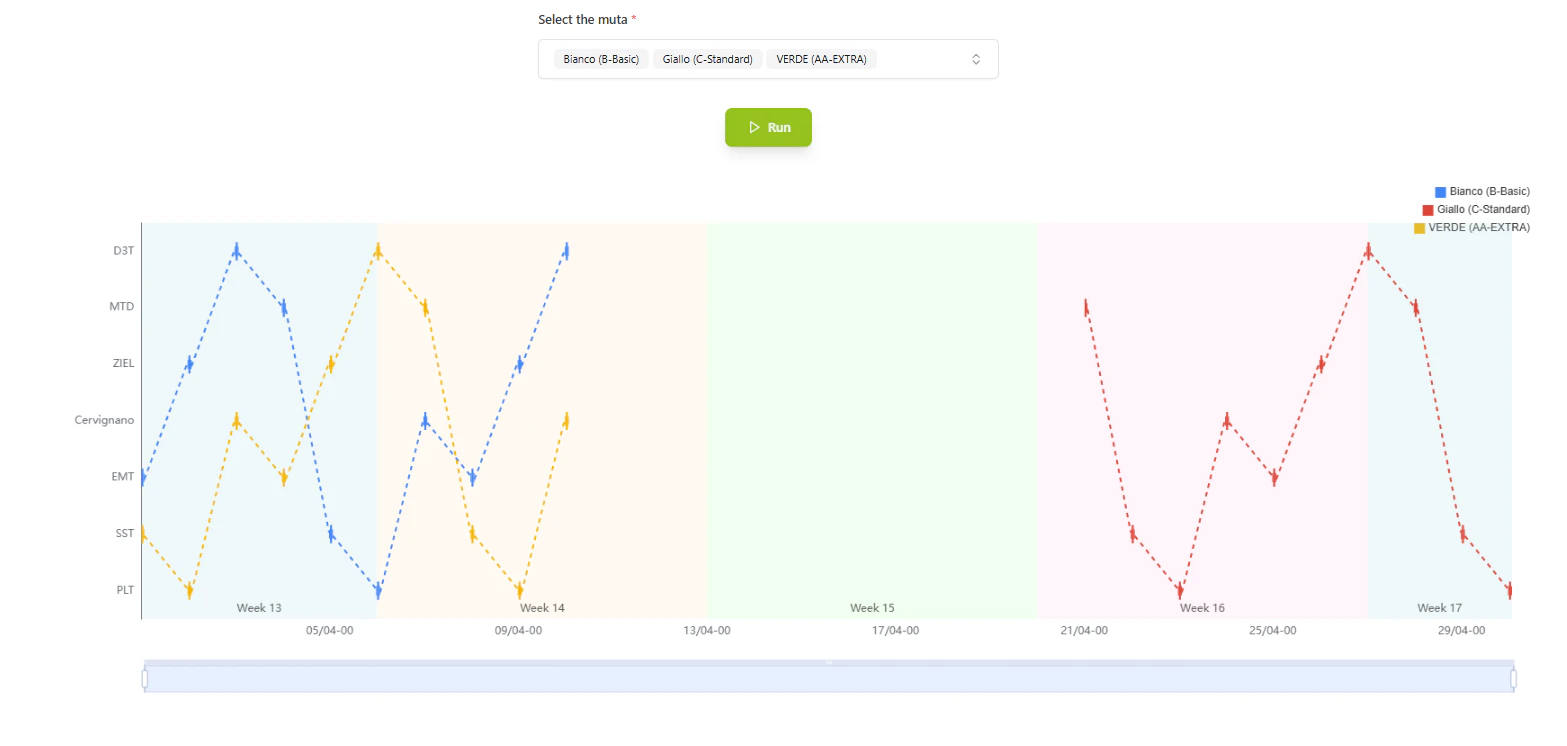
The **Fleet Management** tool allows users to visually construct complex railway paths:
* **Graph Construction**: Users can link distinct network nodes (terminals, hubs) to create a custom "train graph."
* **Visual Validation**: The interface provides immediate visual feedback on the connectivity and validity of the proposed rail segments.
 ### Simulation & Analysis
**Requirement Addressed**: *"Run simulations and evaluate different 'what-if' scenarios"*
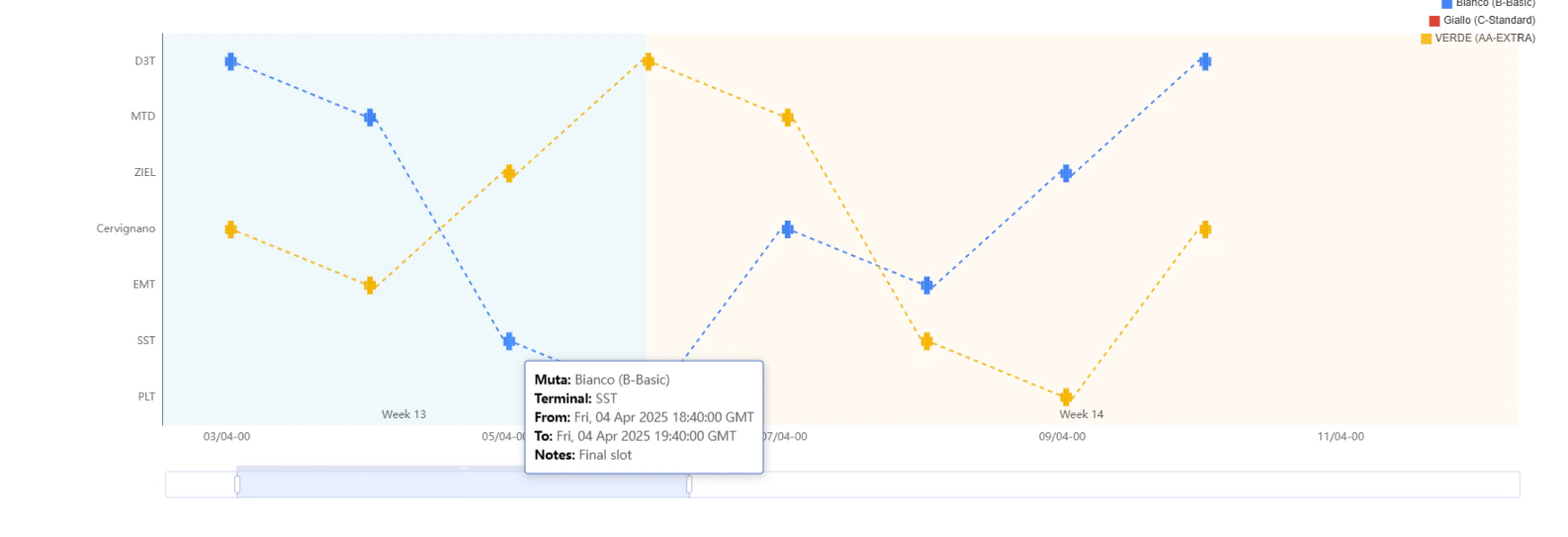
Once a graph is generated via Fleet Management, it becomes an input for the simulation engine:
* **Logistics Options**: The system evaluates distinct logistics variables (different providers, timetables) on this newly generated topology.
### Simulation & Analysis
**Requirement Addressed**: *"Run simulations and evaluate different 'what-if' scenarios"*
Once a graph is generated via Fleet Management, it becomes an input for the simulation engine:
* **Logistics Options**: The system evaluates distinct logistics variables (different providers, timetables) on this newly generated topology.
 ## 4. Technical Enablement
The platform enables this deliverable through:
### Dynamic Topology Engine
* **Graph-in-Memory**: The system creates temporary, in-memory graph structures that exist solely for the user's session, allowing for "what-if" experimentation without polluting the production database.
* **Orchestrator Integration**: The generated graph is natively understood by the Orchestrator's routing algorithms, meaning all standard optimization logic applies immediately to the new configuration.
## 5. Evidence of Delivery
The following evidence demonstrates strict compliance with the MCD 16 requirement:
| Capability | Verification Evidence |
| :-------------------- | :----------------------------------------------------------------------------------------------------------------------------------------------------------------------------------------------------------- |
| **Graph Generation** | **Evidenced by \[Fleet Management Tool]**: The interface (shown in *zigzag1.png*) explicitly provides the tooling to configure and generate new railway graph segments. |
| **What-if Scenarios** | **Evidenced by \[Simulation Output]**: The ability to view and analyze these paths (shown in *zigzag2.png*) proves the system supports the evaluation of different logistics options on the generated graph. |
## 4. Technical Enablement
The platform enables this deliverable through:
### Dynamic Topology Engine
* **Graph-in-Memory**: The system creates temporary, in-memory graph structures that exist solely for the user's session, allowing for "what-if" experimentation without polluting the production database.
* **Orchestrator Integration**: The generated graph is natively understood by the Orchestrator's routing algorithms, meaning all standard optimization logic applies immediately to the new configuration.
## 5. Evidence of Delivery
The following evidence demonstrates strict compliance with the MCD 16 requirement:
| Capability | Verification Evidence |
| :-------------------- | :----------------------------------------------------------------------------------------------------------------------------------------------------------------------------------------------------------- |
| **Graph Generation** | **Evidenced by \[Fleet Management Tool]**: The interface (shown in *zigzag1.png*) explicitly provides the tooling to configure and generate new railway graph segments. |
| **What-if Scenarios** | **Evidenced by \[Simulation Output]**: The ability to view and analyze these paths (shown in *zigzag2.png*) proves the system supports the evaluation of different logistics options on the generated graph. |