
Workflow Visualization
What It Does
- Contract Generation: Creates service contracts with client and service details
- PDF Creation: Generates professional PDF documents with company branding
- Email Delivery: Sends contracts to clients via email with attachments
- Status Tracking: Manages contract lifecycle from DRAFT to SENT
Key Features
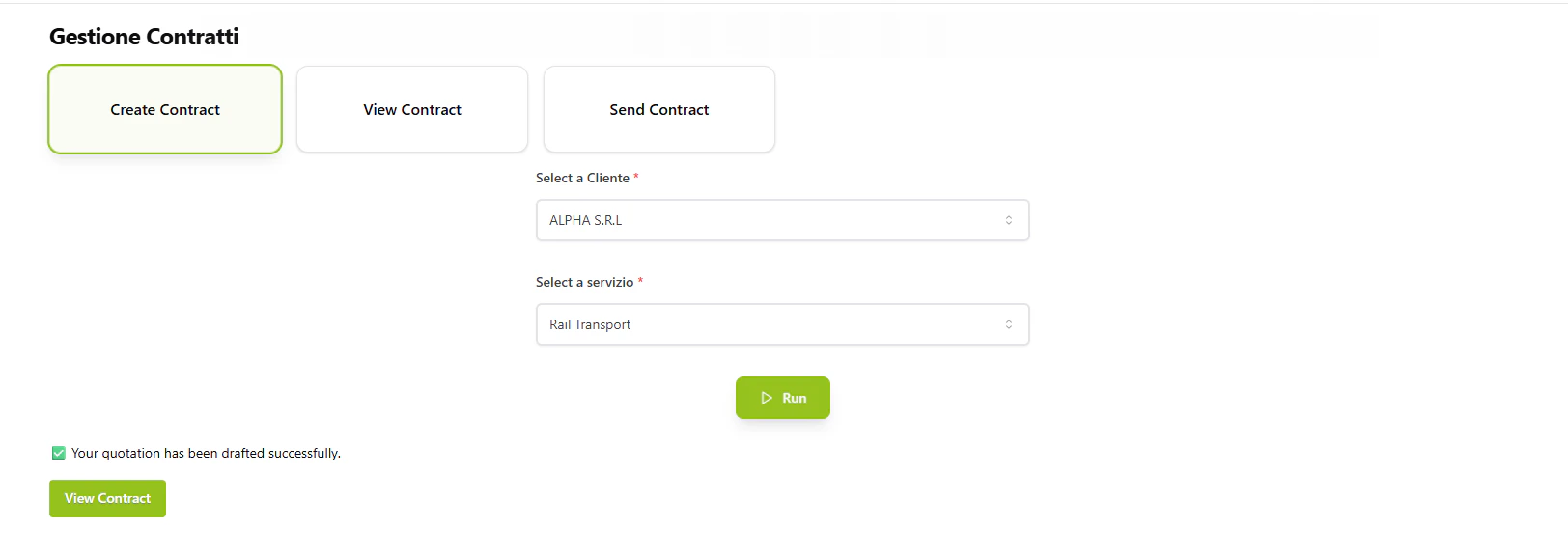
Contract Creation
- Client selection from available database
- Service selection (Rail Transport, Road Freight, Warehouse Storage)
- Automated contract ID generation
- Professional PDF formatting with AlpeAdria branding
PDF Generation
- Company logo and footer integration
- Client contact details and address
- Service description and terms
- Payment terms and signature sections
Email Integration
- Routes through Communication flow for delivery
- Attaches PDF contract as email attachment
- Updates contract status upon successful delivery
Commands
Create Contract
Creates a new contract draft with selected client and service. Inputs:View Contract
Displays the contract PDF with an option to send. Inputs:Send Contract
Sends the contract to the client via email. Inputs:How to Use
1
Create a Contract
Select a client and service to generate a new contract draft. The system creates a unique contract ID and generates a PDF.2
Review the Contract
Use the “View Contract” command with the contract ID to preview the PDF document before sending.3
Send to Client
Once reviewed, use “Send Contract” to deliver the PDF to the client’s email address for signature.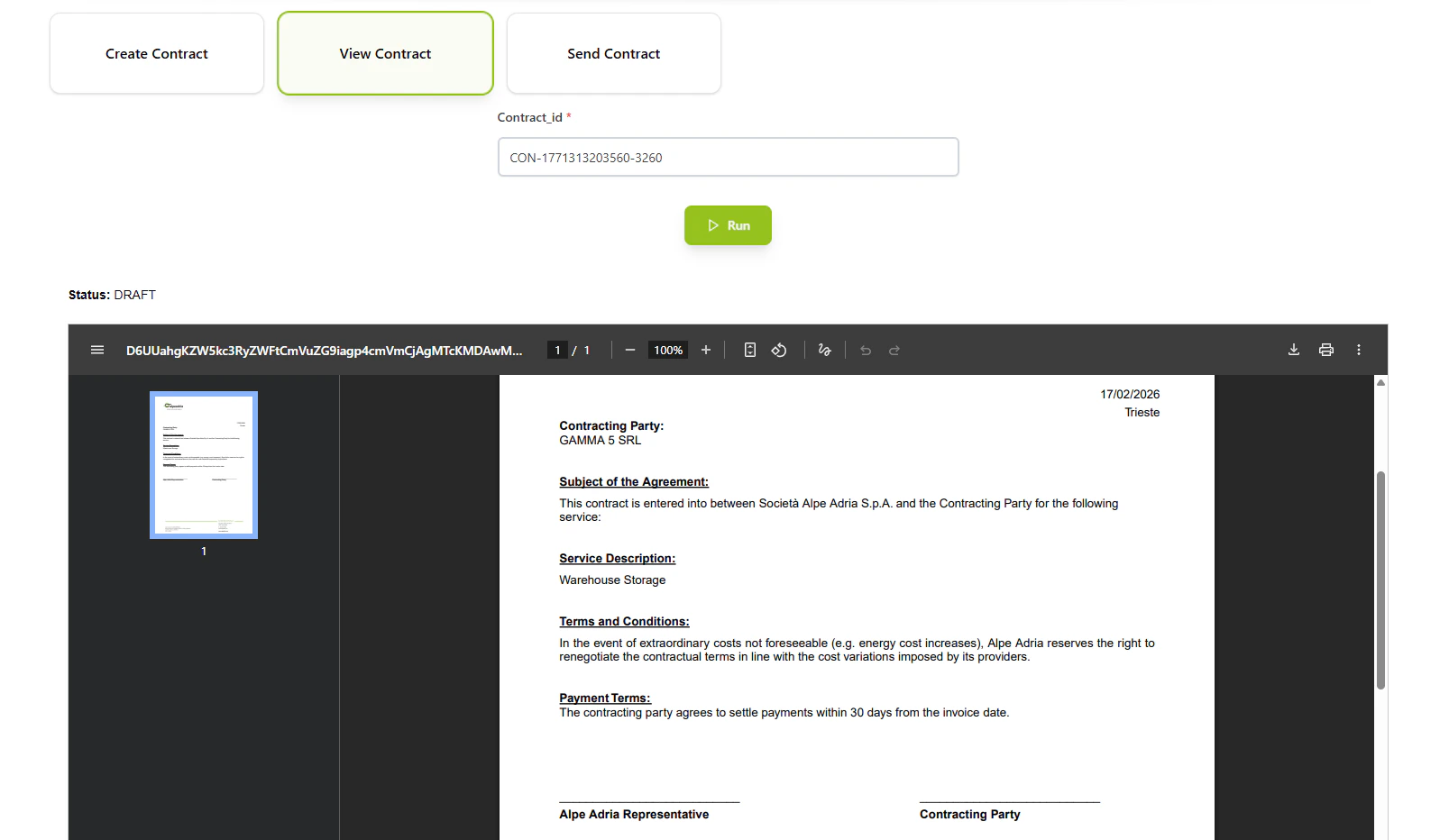
Technical Details
Database:- Contracts:
datalake_main.db_ai-loop_contract - Client Data:
datalake_main.db_ai-loop_anagrafica_completa
- Rail Transport
- Road Freight
- Warehouse Storage