
Workflow Visualization
Funnel Stages
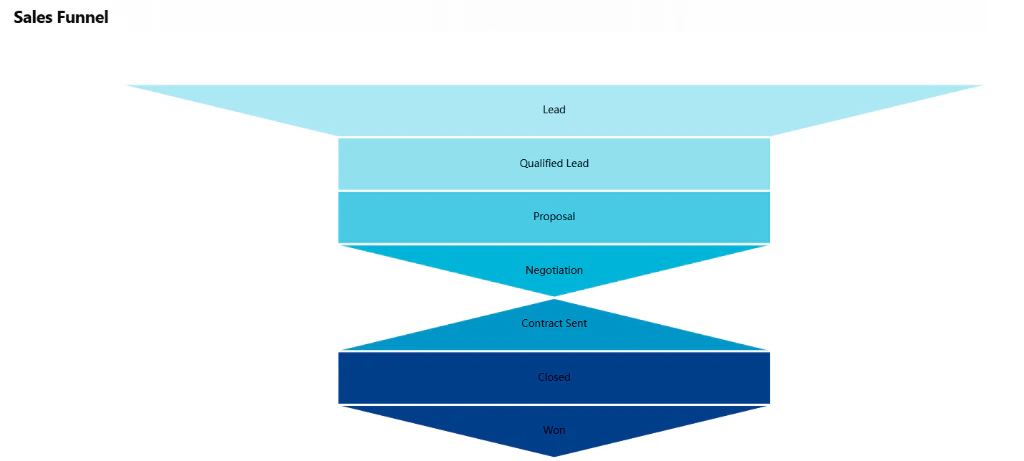
The sales process is organized into distinct stages to provide clear visibility into your pipeline:- Lead: Initial contact or inquiry
- Qualified Lead: Leads identified as a fit for your services
- Proposal: Active service offer and pricing submission
- Negotiation: Review and refinement of the proposal details
- Contract Sent: Formal agreement awaiting final authorization
- Closed: The finalization of the negotiation process
- Won: Successful conversion and commencement of the partnership
Customer Insights
From the Sales Funnel, you can dive deep into individual customer profiles:- Communication History: View all past messages and interactions with a specific lead
- Task Overview: See all open and completed tasks associated with the account
- Inquiry History: Track all service requests submitted by the customer
- Business Analysis: Access comprehensive reports and data analysis for each company
Commands
Funnel
Displays the sales funnel chart with current inquiry counts per stage. Output: Interactive HTML funnel chartHow to Use
1
Execute Command
Run the “Funnel” command to generate the visualization.2
View Pipeline
See distribution of leads across all funnel stages with live counts.3
Navigate to Stage
Click any funnel stage to view detailed inquiry list for that stage.Technical Details
Database:- Funnel Config:
datalake_main.db_ai-loop_CRM_Configs - Inquiries:
datalake_main.db_ai-loop_CRM_Inquiries