
Workflow Visualization
What It Does
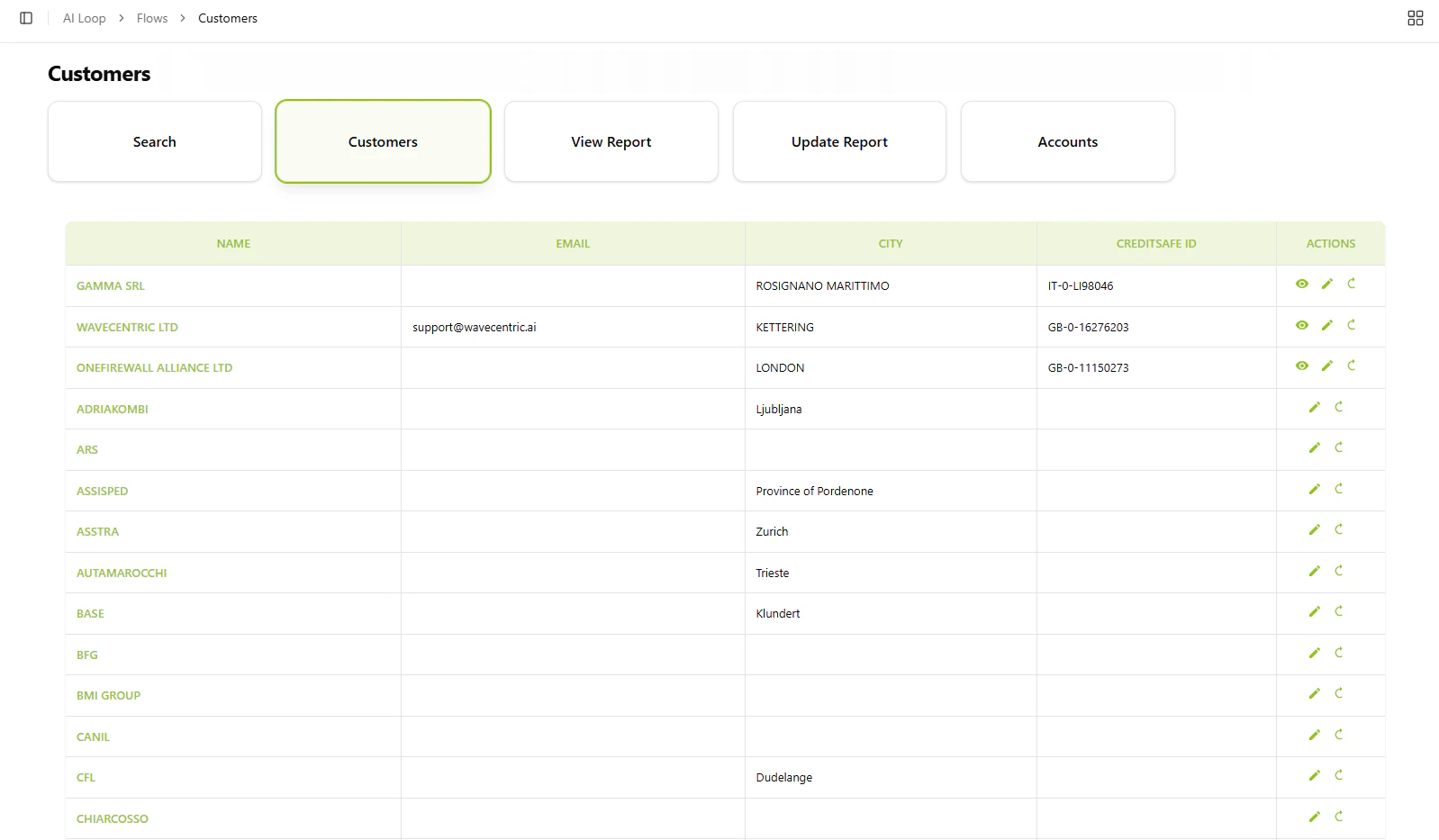
The Customers system enables you to:- View All Customers: Display complete customer database in an interactive table
- Search Customers: Find specific clients by name, email, city, or CreditSafe ID
- Financial Reports: Access integrated CreditSafe credit reports and risk assessments
- Update Reports: Refresh customer financial data from CreditSafe
- Network Visualization: See company relationships and connected users in an interactive graph
Key Features
Customer Table
Browse all customers with essential information:- Business name and contact details
- Location (city/country)
- CreditSafe ID for financial tracking
- Quick actions: View report, Edit data, Update from CreditSafe
Search Functionality
Autocomplete search across customer database fields to quickly locate specific clients or businesses.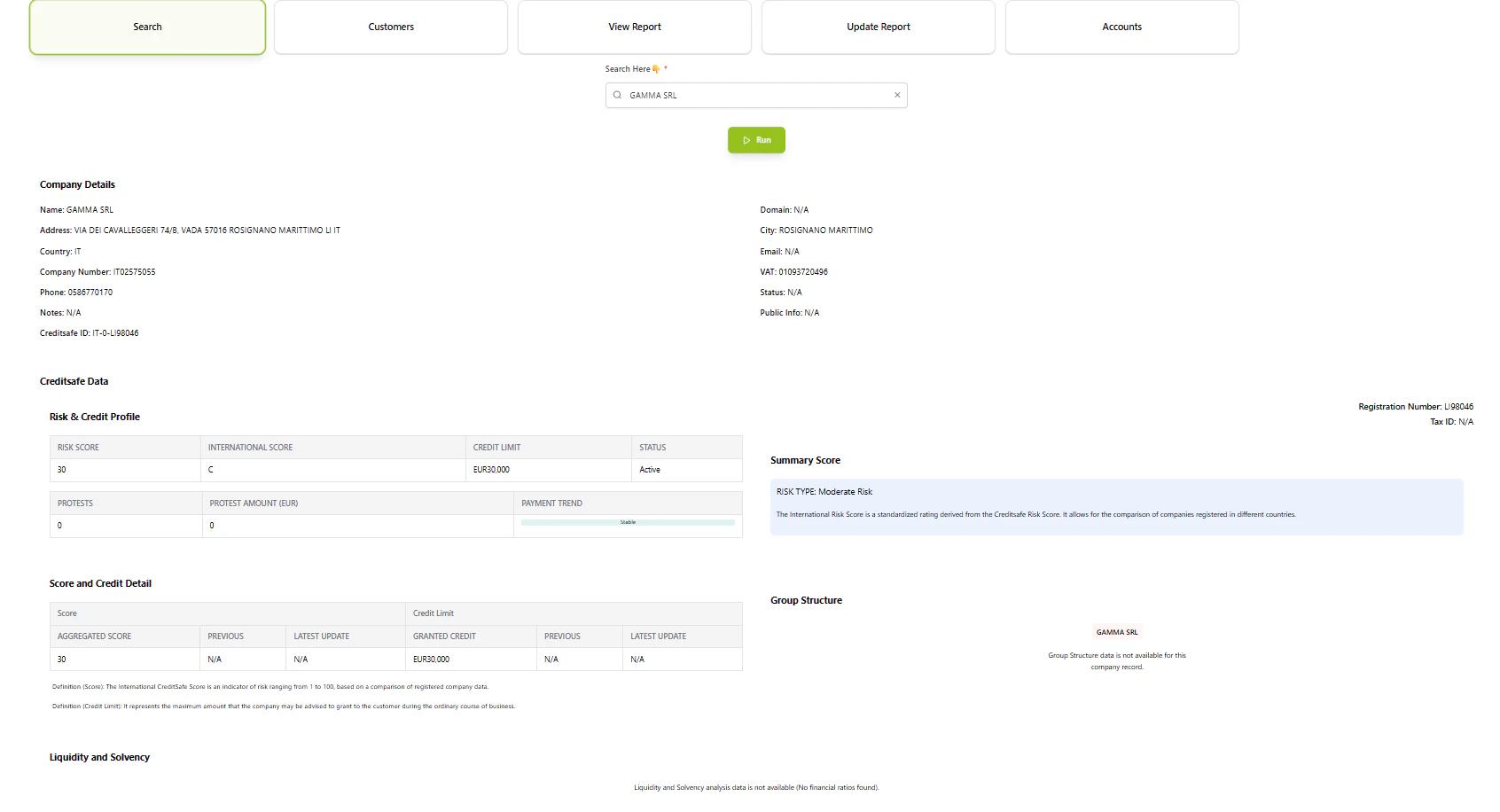
Credit Reports
Access detailed financial analysis for each customer including:- Risk score and international credit rating
- Credit limit recommendations
- Financial statements and liquidity analysis
- Group structure and parent companies
- Payment trends and protest history
Report Management
- View Report: Display comprehensive CreditSafe financial assessment
- Update Report: Fetch latest data from CreditSafe API
- Manual Entry: Add CreditSafe ID for customers without linked reports
Network Graph
Visualize organizational relationships showing companies and their connected user accounts in an interactive network diagram.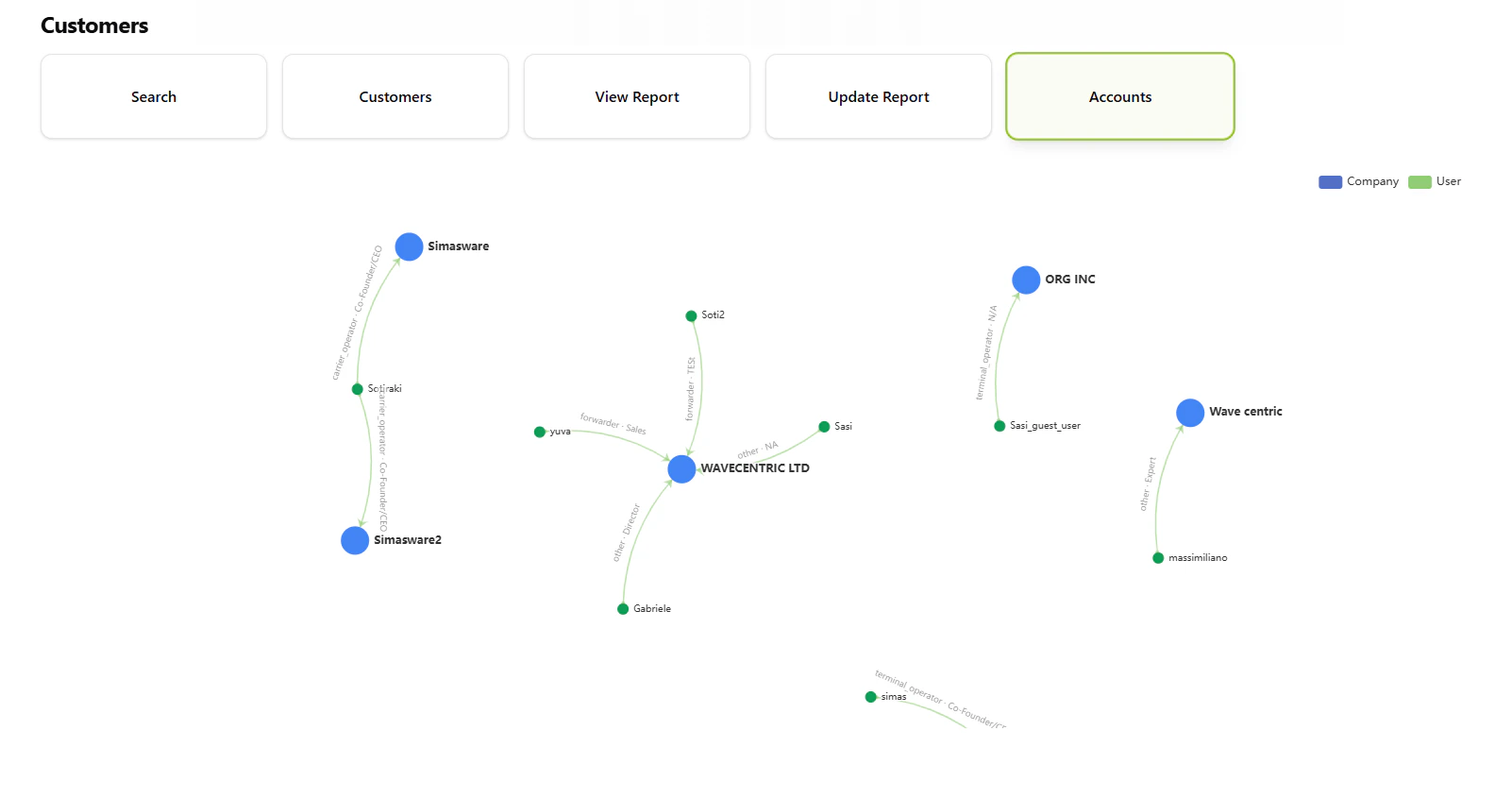
How to Use
1
View Customer List
Select “Customers” to display the complete table of all clients with name, email, city, and CreditSafe ID.2
Search Specific Customer
Use the search function with autocomplete to find customers by any field. Results display detailed information.3
Access Financial Report
Click the View icon next to any customer with a CreditSafe ID to see their complete credit report with risk analysis.4
Update Customer Data
- Click Edit to modify customer details in the database
- Click Update to fetch fresh data from CreditSafe
- For new CreditSafe links, enter company name and country to search and select
Database Integration
Customer data is stored indb_ai-loop_V3_business with fields including:
- Business name, email, contact information
- Location data (city, country code)
- CreditSafe ID for financial report linking
- Full CreditSafe report data (risk scores, financials, group structure)