
Workflow Visualization
What It Does
- Draft Quotes: Generate professional PDF quotations with service details and pricing
- Price Lookup: Automatically fetch current service prices from database
- Client Integration: Pull client contact information from anagrafica database
- PDF Generation: Create formatted PDF documents with company branding
- Email Delivery: Send quotations directly to client email addresses
- Status Tracking: Manage quote lifecycle (Draft → Sent)
Key Features
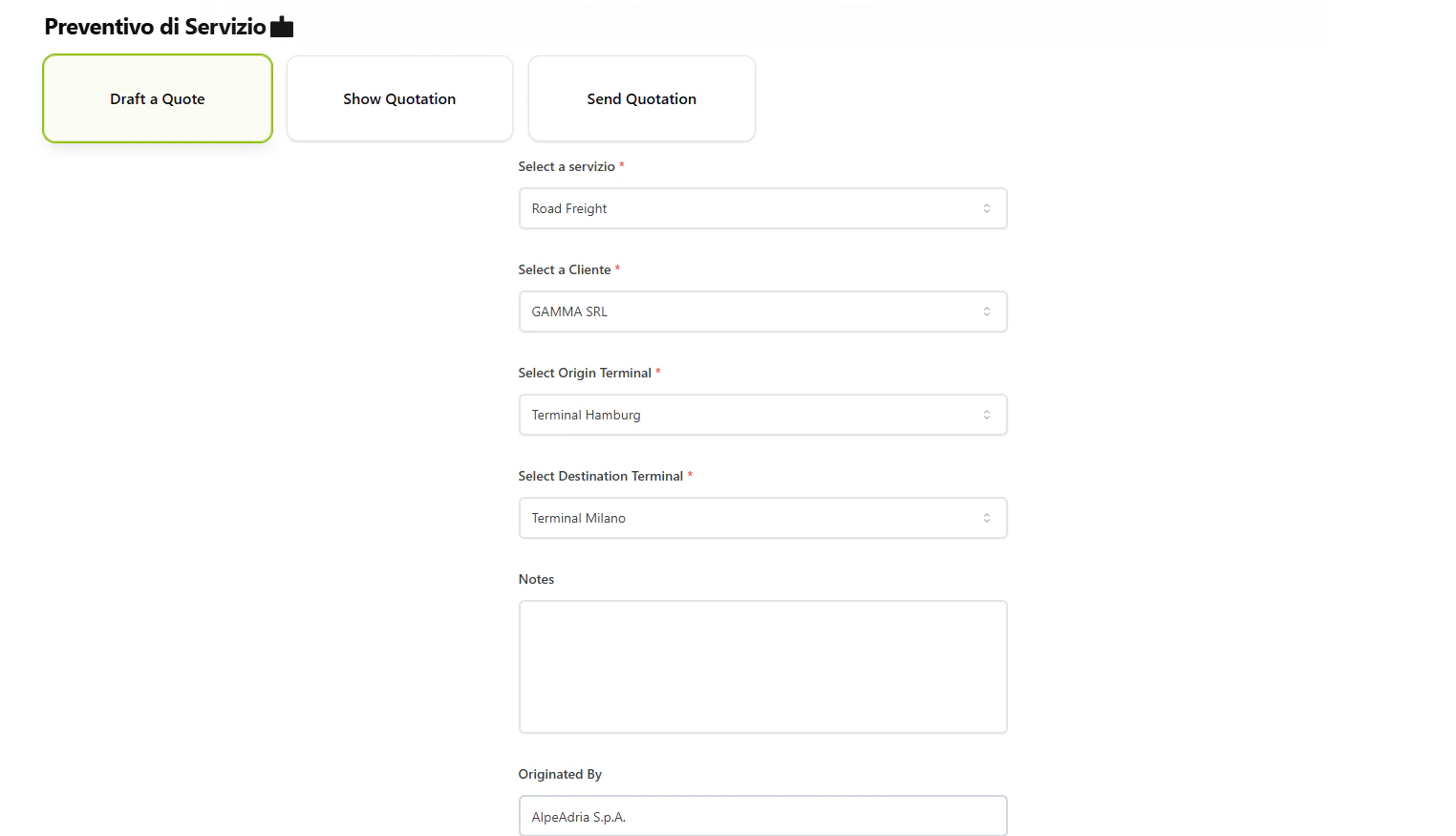
Quote Drafting
- Select service type (Rail Transport, Road Freight, Warehouse Storage)
- Choose client from registered companies
- Specify origin and destination terminals
- Add custom notes and conditions
- Auto-generate unique quote ID with timestamp
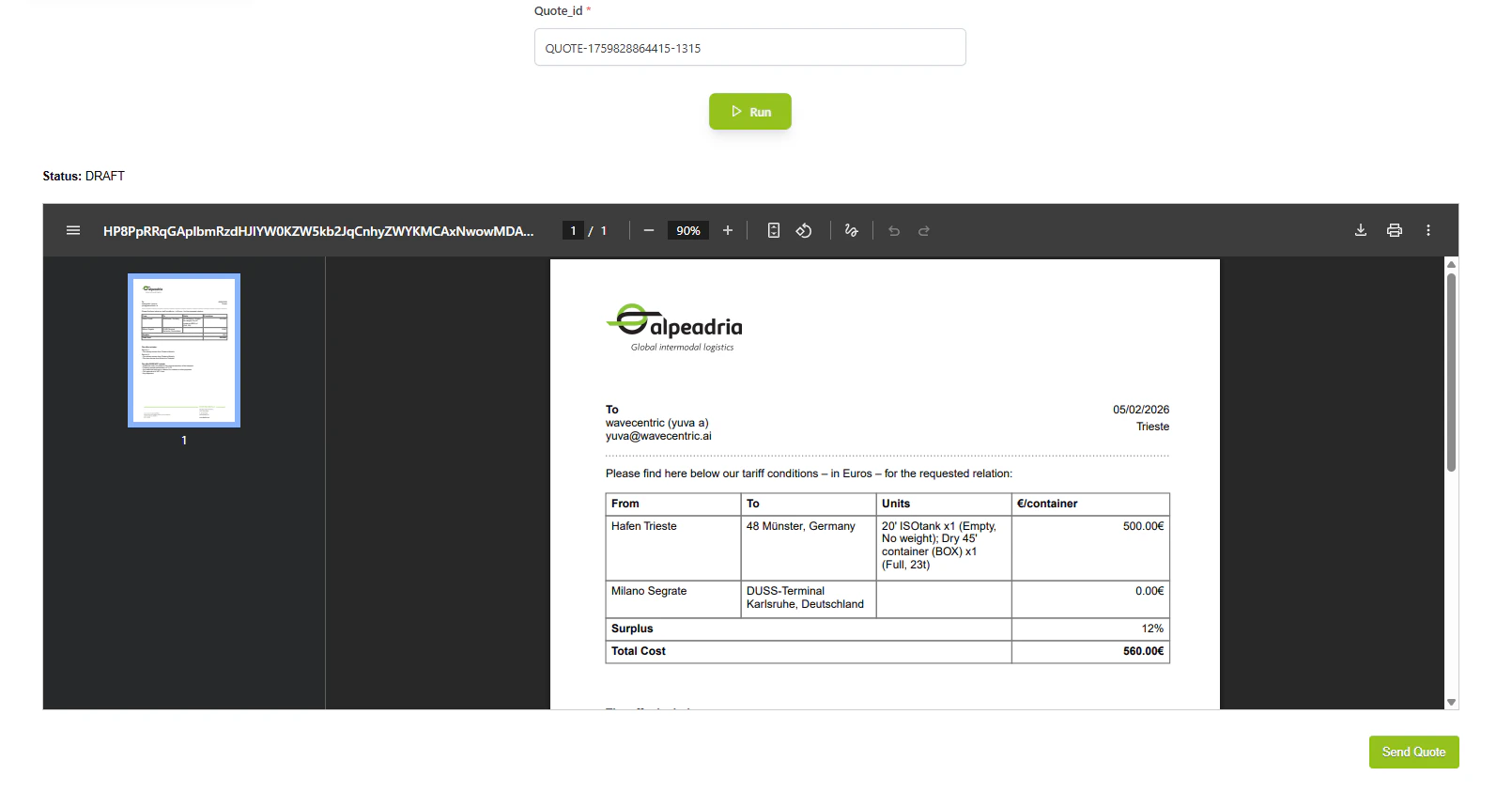
PDF Generation
- Professional template with company logo
- Client details (address, contact)
- Service details (type, route, pricing)
- Terms and conditions
- Payment terms (30 days)
- Company footer with contact information
Email Integration
- Sends PDF as email attachment
- Retrieves client email from anagrafica database
- Routes through Communication flow
- Updates quote status after successful delivery
Commands
Draft a Quote
Creates a new quotation draft with service and client details. Inputs:service: Service type (Rail Transport, Road Freight, Warehouse Storage)Cliente: Client company namefrom_terminal: Origin terminalto_terminal: Destination terminalnotes: Additional conditions (multiline)originated_by: Originating company (default: AlpeAdria S.p.A.)
Show Quotation
Displays the PDF quotation with option to send. Inputs:Send Quotation
Sends the quotation PDF via email to the client. Inputs:How to Use
1
Draft the Quote
Select service type, client, terminals, and add any special notes or conditions.2
Review the Quote
Use the “Show Quote” button to preview the PDF quotation before sending.3
Send to Client
Click “Send Quote” to deliver the PDF quotation via email to the client’s registered address.Technical Details
Database Collections:- Source:
datalake_main.db_ai-loop_Service(service pricing) - Source:
datalake_main.db_ai-loop_anagrafica_completa(client details) - Storage:
datalake_main.db_ai-loop_quotation(quote storage) - Logging:
datalake_main.db_ai-loop_flow_Logs(activity logs)