
Workflow Visualization
What It Does
- Export to CSV: Convert database collections to downloadable CSV files
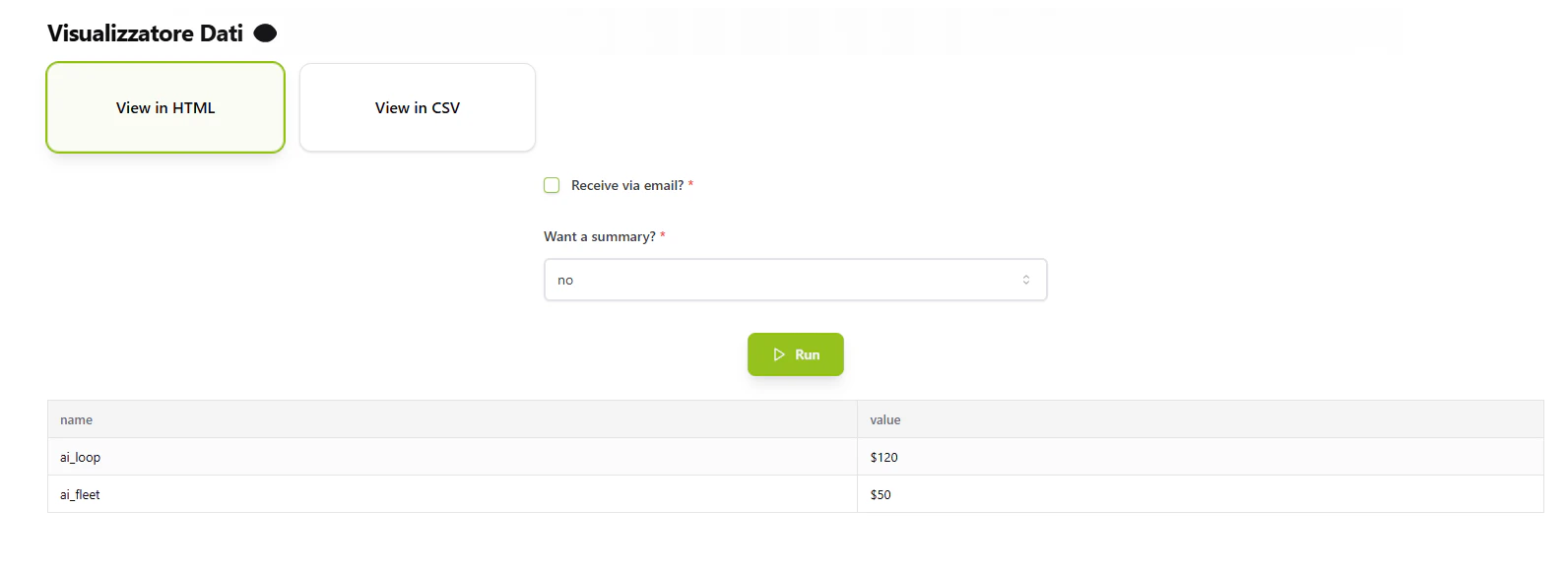
- Generate HTML Reports: Create formatted HTML tables with optional summaries
- AI Summaries: Use AI model to generate 2-3 sentence data summaries
- Email Delivery: Send reports directly to specified email addresses
- Activity Tracking: Log all user requests and commands to MongoDB
Key Features
CSV Export
- Fetches data from MongoDB collection
- Converts to CSV format
- Creates downloadable file or sends via email
HTML Reports
- Generates formatted HTML table
- Dynamic column headers from data
- Optional AI-generated summary
Email Integration
- Professional email template with company branding
- HTML reports embedded in email body
- CSV files attached as attachments
- Sender: Admin Team ([email protected])
How to Use
1
Choose Export Format
For CSV Export: Send request with command:"View in CSV"For HTML Report:
Send request with command: "View in HTML"2
Configure Options
Email Delivery (Optional):- Set
get_via_email:true - Provide
recipient_email: valid email address
- Set
get_summary:"yes"for AI-generated summary - Set
get_summary:"no"to skip summary
3
Receive Results
Email delivery:- CSV: Download attachment from email
- HTML: View inline report in email
- CSV: Receive download link
- HTML: Receive formatted HTML
Command Structure
View in HTML
get_via_email(boolean, required): Send via email?recipient_email(string, optional): Email addressget_summary(string, required): “yes” or “no”
View in CSV
get_via_email(boolean, required): Send via email?recipient_email(string, optional): Email address
Technical Details
Database Source:- Database:
datalake_main - Collection:
db_ai-loop_service.products
- Collection:
db_ai-loop_flow_Logs - Logs user details and flow commands
- Sender: [email protected]
- Subject: “Database details”