
What It Does
When an email arrives, the system:- Classifies the email into one of three categories using AI
- Extracts relevant information based on the email type
- Creates tasks or processes quotes automatically
- Notifies admin teams of important messages
- Stores communication history in the database
Workflow Visualization
Email Categories
Service Message
Emails containing “Service Message” with a message ID format[numbers-alphanumeric]
Processing:
- Extracts message ID and cleans email body
- Identifies company from sender’s email domain
- Creates task with 3-day deadline
- Stores in communication database
- Sends notification to Admin and Sales teams
Send Quotation
Emails starting with “Follow up -” containing a quote ID formatQUOTE-numbers-numbers
Processing:
- Extracts quote ID and service details (tipo_di_servizio, tipo_di_merce)
- Triggers quote drafting workflow
- Sends quotation to customer
- Updates quote status to
QUOTATION_SENT - Stores submission data in quotes database
Quote Request (Other)
General inquiries that may be service quote requests Processing:- AI detects if email is requesting a quotation
- Extracts customer details (name, email, phone, language)
- Creates new quote with status
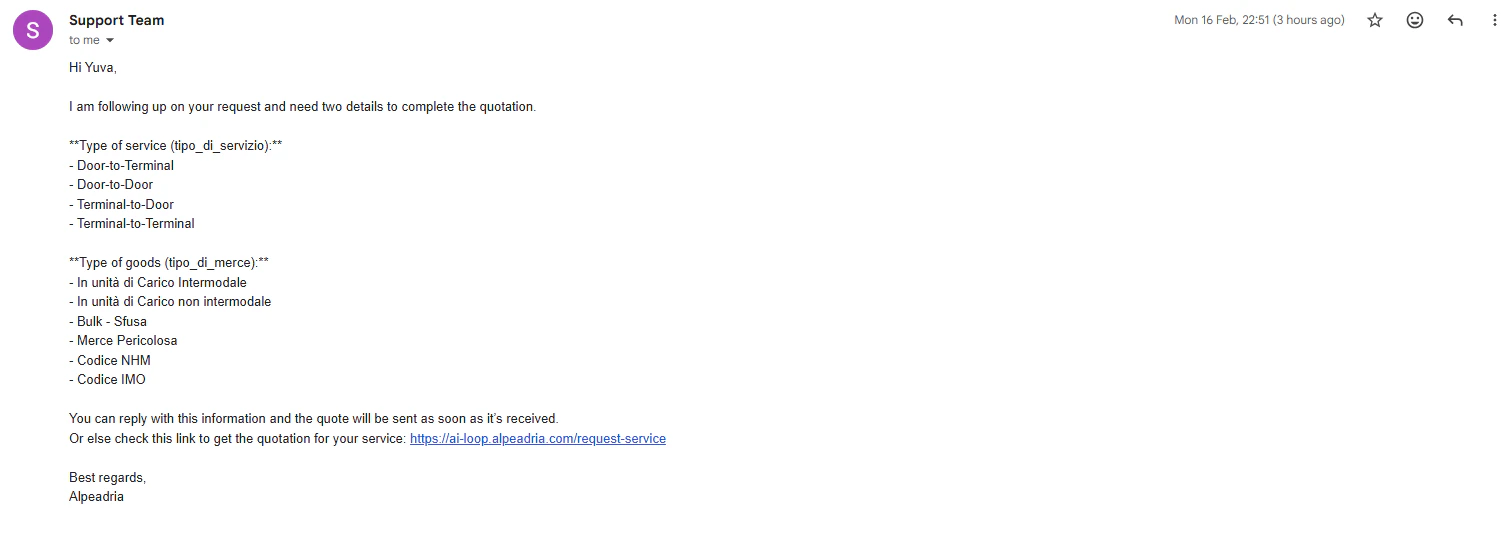
PENDING_GUEST_QUOTE - Sends automated reply in customer’s language asking for:
- Type of service: Door-to-Terminal, Door-to-Door, Terminal-to-Door, Terminal-to-Terminal
- Type of goods: Intermodal/Non-intermodal units, Bulk, Hazardous goods, NHM/IMO codes
- Creates task for follow-up
- Adds customer to CRM if new
AI-Powered Features
Smart Classification
- Uses AI models to analyze email subject and determine category
- Handles variations like “Re:”, “Fwd:”, and parentheses in subjects
Message Cleaning
- Removes email signatures and disclaimers
- Extracts only the main message content for processing
Company Name Normalization
- Matches sender’s domain against existing business database
- Ignores common legal suffixes (Inc, LLC, Ltd, GmbH, etc.)
- Returns official company name or creates new entry
Automatic Tag Generation
- Creates descriptive 3-word tags for each email
- Format: lowercase, hyphen-separated
Multilingual Responses
- Detects email language automatically
- Generates reply in customer’s native language
- Supports any language, not limited to English/Italian
Technical Details
- Trigger: Unauthenticated webhook (email forwarding endpoint)
- Databases:
datalake_main,ai-loop - Collections:
db_ai-loop_V3_Tasks- Email tasks with deadlinesdb_ai-loop_quotes- Quote requests and statusdb_ai-loop_V3_business- Company informationdb_ai-loop_message_communication- Email historydb_ai-loop_System_Notifications- Admin alertsusers- Customer profiles
- Notification Teams: Admin, Sales (configurable)