
Strategic Task Management
Inline Task Creation
Generate new operational tasks directly within the high-density list view or Kanban board to maintain workflow momentum:- Comprehensive Data Entry: Define task Subjects and detailed Descriptions to provide full context to assignees.
- Precision Categorization: Assign specific task Types (e.g., Internal, Customer, Supplier, Email, Service-Request, Follow-up, Call, Meeting).
- Entitiy Linking: Associate tasks with specific Business Partners or Customers directly during creation.
- Deadline Orchestration: Utilize the integrated calendar component to set precise operational deadlines.
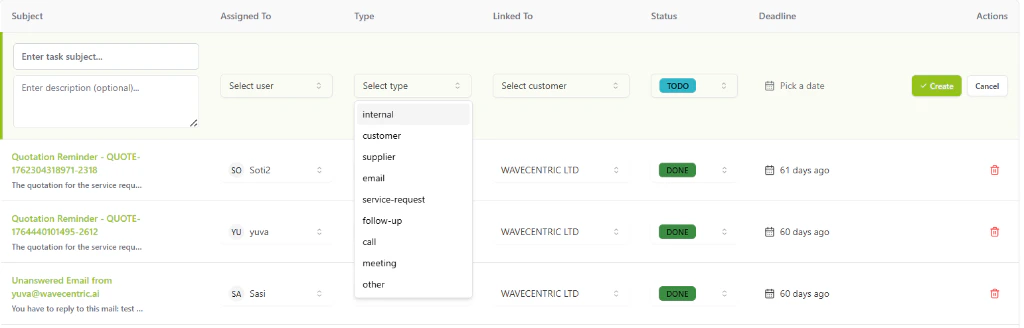
The AI Loop inline task creation interface with granular categorization and entity linking.
Three Dimensions of Productivity
1. High-Density List View
For rapid data entry and bulk management:- Inline Editing: Update assignees, task types, linked customers, and statuses directly from the table.
- Granular Sorting: Organize your organization’s workload by subject, deadline, or priority.
- Status Orchestration: Manage tasks through defined lifecycles including TODO, IN PROGRESS, ON HOLD, and DONE.
2. The Kanban Board
The Kanban view transforms your task list into a visual pipeline, perfect for managing high-volume operations:- Drag-and-Drop Workflow: Instantly update task status by dragging cards between columns.
- Visual Oversight: Monitor the distribution of tasks across TODO, DONE, ON HOLD, and IN PROGRESS stages.
- Column-Specific Actions: Use the (+) button in any column to quickly add a task to that specific workflow stage.
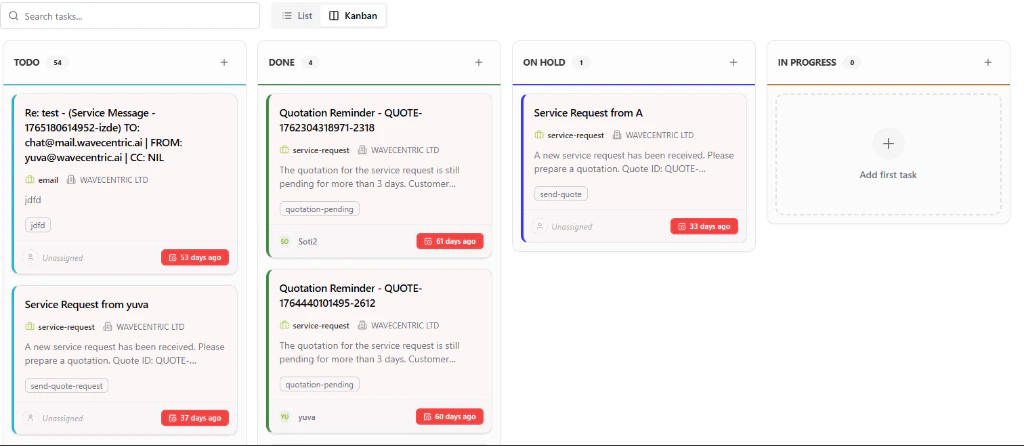
The AI Loop Task Kanban board showing high-density task cards and workflow stages.
3. Visual Calendar
Map out your month with the integrated Task Calendar:- Deadline Visualization: View your personal workload mapped across the days of the week.
- Urgency Tracking: Relative time indicators provide instant context on upcoming commitments.
Core Features
Advanced Task UX
- Micro-Pagination: Manage hundreds of tasks across columns and views without performance degradation.
- Instant Search: Locate specific tasks by subject or linked entity using the global task search engine.
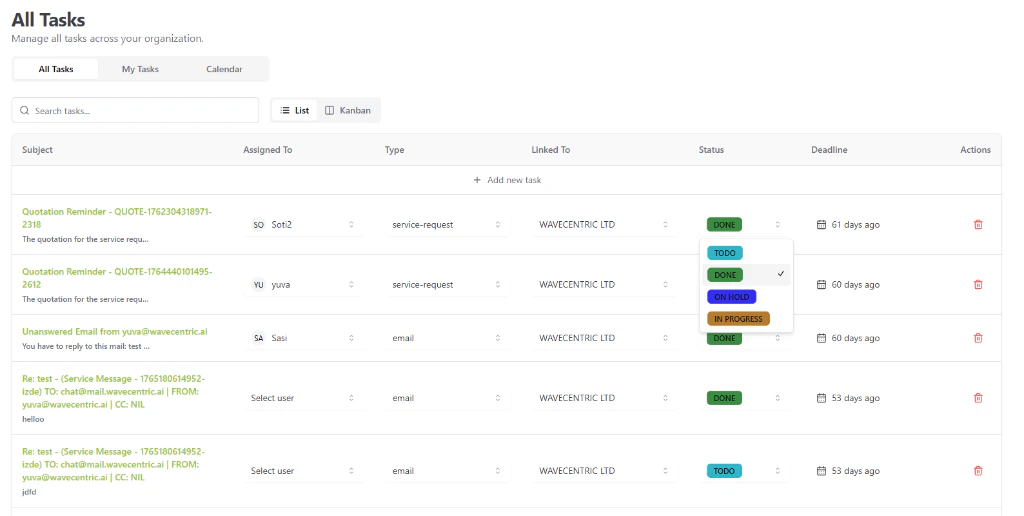
The AI Loop Task Management interface featuring the high-density list view and status orchestration.