
Workflow Visualization
What It Does
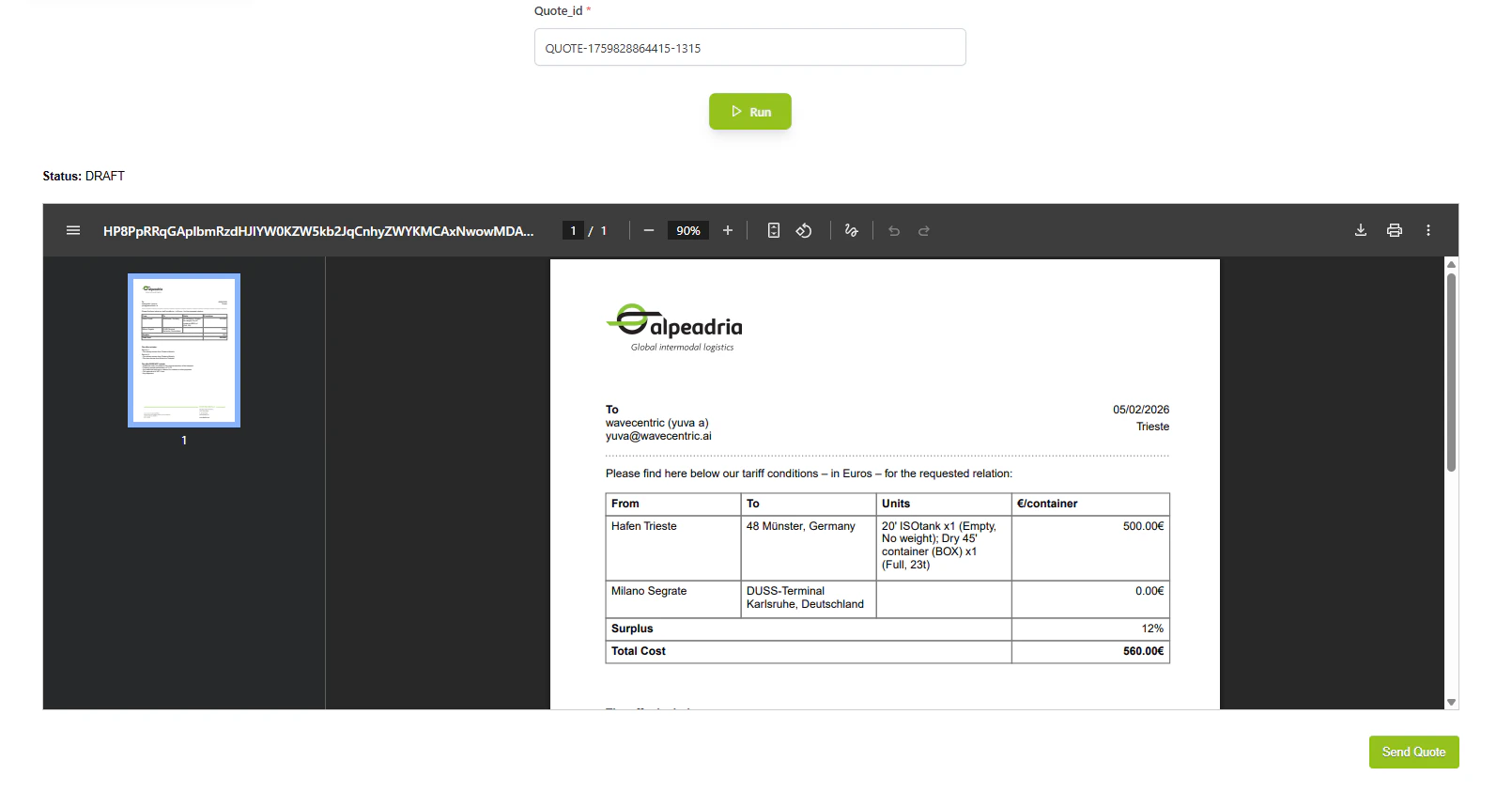
- Template Rendering: Dynamically populates quotation template with inquiry details
- Professional Formatting: Ensures uniform, branded appearance for all offers
- Final Verification: Allows last review before customer transmission
- One-Click Send: Single action to transmit offer to customer
- Status Updates: Automatically updates quotation status in dashboard
Key Features
Template Rendering
- Dynamic Content: Customer details, service specifications, final pricing
- Professional Formatting: Uniform and branded quotation appearance
- PDF Generation: High-quality, print-ready quotation documents
One-Click Transmission
- Send Action: Single click triggers transmission via preferred channel
- Flow Integration: Completes quotation workflow and updates dashboard
- Email Delivery: Sends quotation as PDF attachment to customer
How to Use
1
Open Preview
From Quotation View, select a verified quotation and click Preview.2
Review Template
Verify all details are correct: customer info, services, routes, and pricing breakdown.3
Send to Customer
Click the Send button to transmit the quotation via email with PDF attachment.4
Confirmation
System updates status to SENT and logs the communication in the database.Technical Details
Database:- Quotations:
datalake_main.db_ai-loop_CRM_Inquiries - Communications:
datalake_main.db_ai-loop_message_communication
- COST_CALCULATED → VERIFIED → SENT