
1. Overview
Zig Zag Configurator (Generation of Railway Graphs) empowers users to dynamically model logistics networks. It fulfills the requirement to generate railway graphs that allow operators to run simulations and evaluate different “what-if” scenarios based on different logistics options. This capability is essential for testing hypothetical network configurations before implementation.2. Scope and Business Meaning
Functionally, this module covers the Network Modeling & Simulation layer. It ensures:- Dynamic Graph Creation: Building new logistics graphs on-the-fly based on user configuration.
- Scenario Testing: Evaluating how a new rail link or terminal would impact the broader network.
- Option Comparison: Running simulations on these generated graphs to compare costs, times, and feasibility against existing infrastructure.
3. Implemented Functionalities
The platform implements “Railway Graph Generation” through Zig Zag within the Orchestrator module.Graph Construction
The Zig Zag tool allows users to visually construct complex railway paths:- Node Linking: Users can link distinct network nodes (terminals, hubs) to create a custom “train graph.”
- Visual Validation: The interface provides immediate visual feedback on the connectivity and validity of the proposed rail segments.
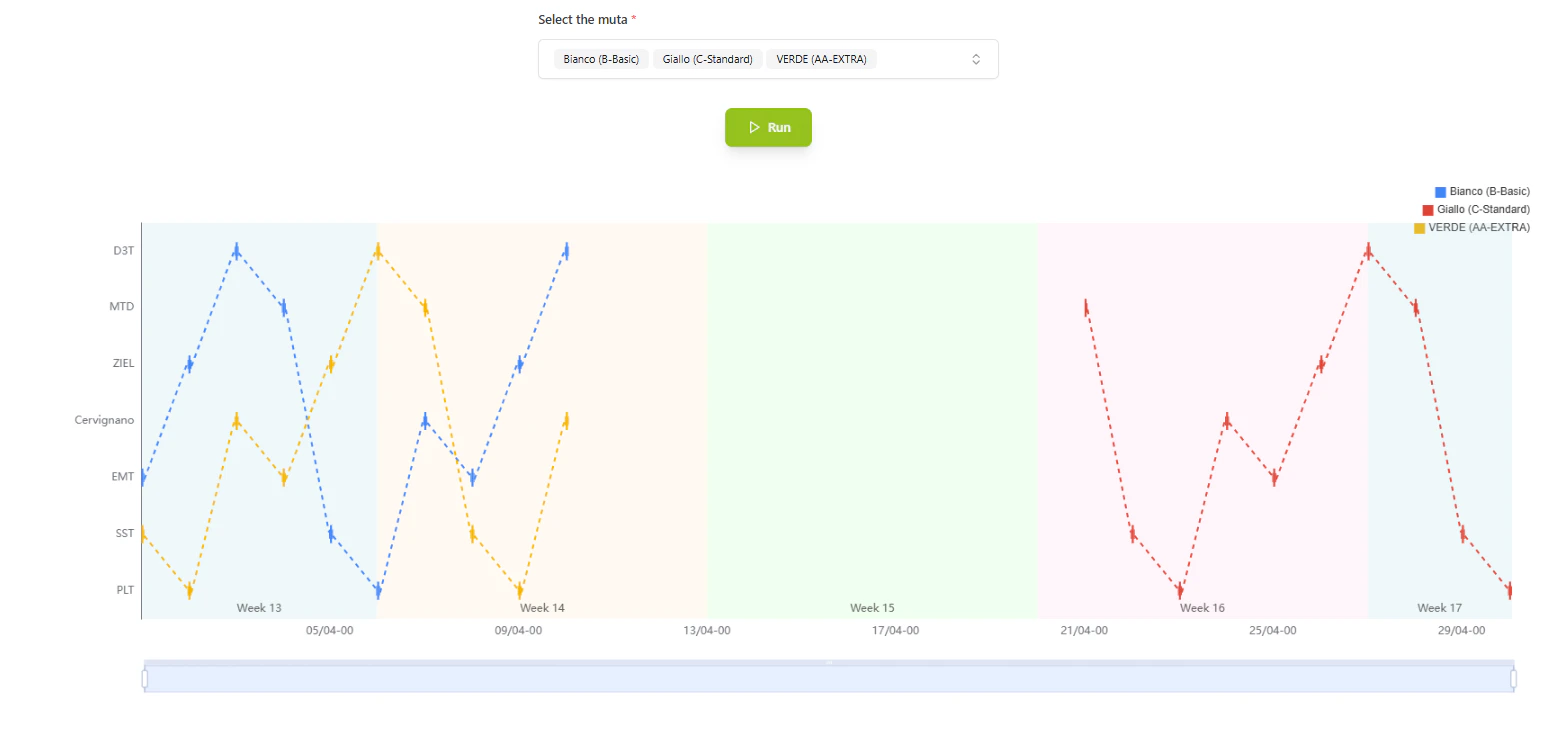
The Zig Zag interface allowing for the step-by-step construction of a railway graph.
Simulation & Analysis
Once a graph is generated via Zig Zag, it becomes an input for the simulation engine:- Logistics Options: The system evaluates distinct logistics variables (different providers, timetables) on this newly generated topology.
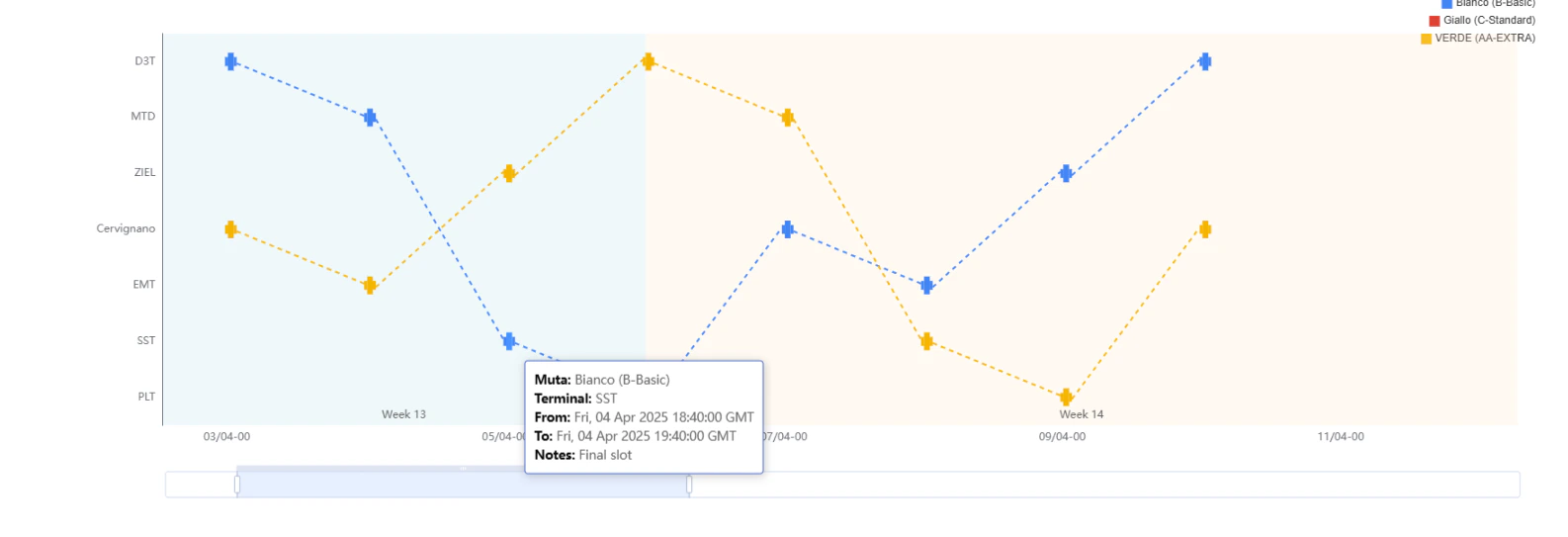
Evaluating logistics options on the generated graph within the Orchestrator.
4. Technical Enablement
The platform enables this deliverable through:Dynamic Topology Engine
- Graph-in-Memory: The system creates temporary, in-memory graph structures that exist solely for the user’s session, allowing for “what-if” experimentation without polluting the production database.
- Orchestrator Integration: The generated graph is natively understood by the Orchestrator’s routing algorithms, meaning all standard optimization logic applies immediately to the new configuration.
5. Navigation
- Menu Path:
Fleet Management > Zig Zag