
1. Overview
Booking Management is the commercial entry point of the platform. It translates a customer’s transport request into a structured system record. Every booking links a Client to a specific Service and defines the physical UTIs and Cargo involved.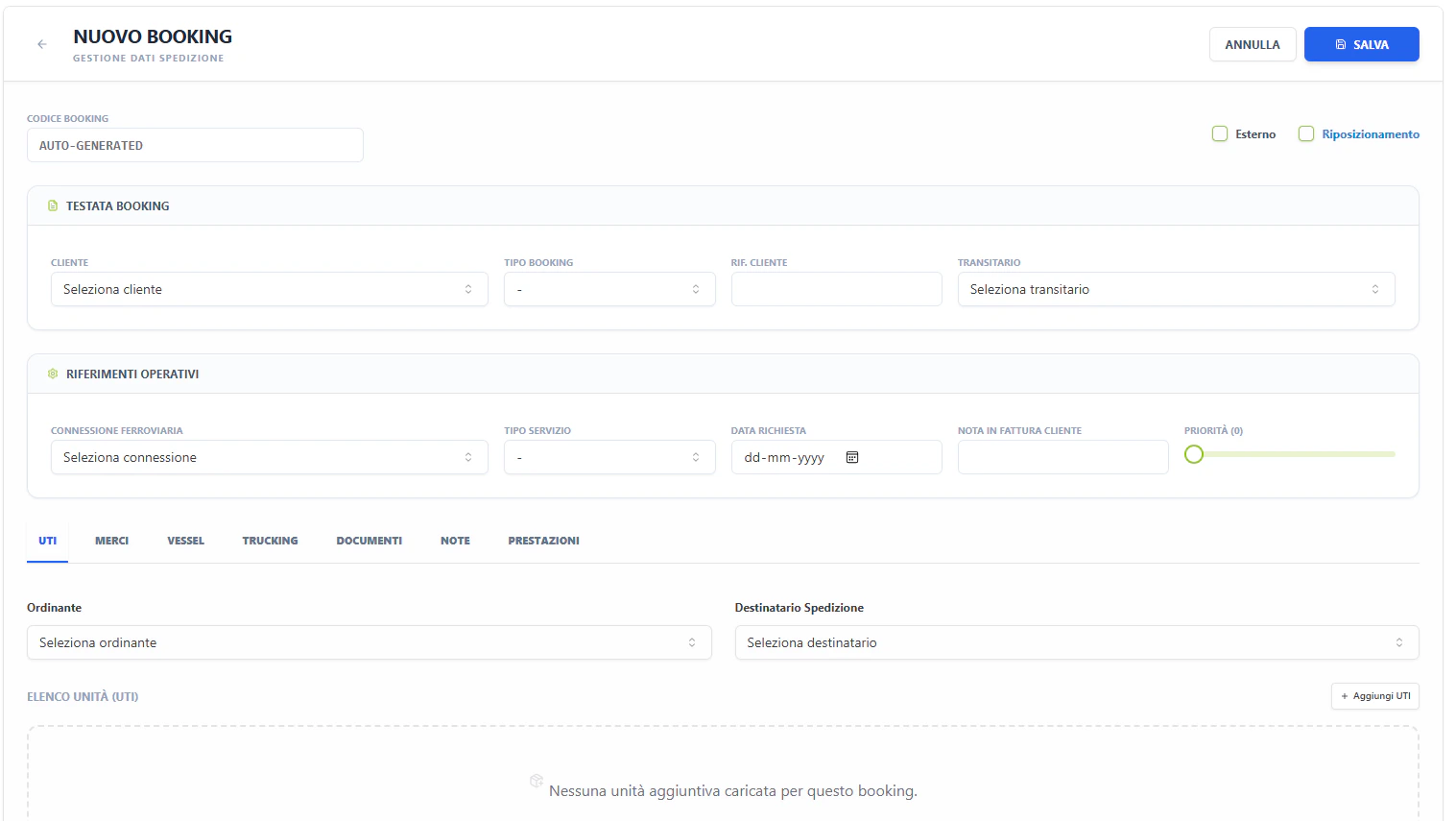
2. Technical Field Mapping (Nuovo Booking)
The booking form is a complex multi-tab interface designed for high-density data entry.Header & References
Search & Filters (Gestione Booking)
The list view provides cross-modular filtering for commercial and operational tracking.Functional Tabs
UTI (Units)
Defines the physical equipment. Each booking can contain multiple UTI rows.- Tipo UTI: Selection from the technical equipment registry (
id_tipo_uti). - Matricola: Autocomplete lookup for individual units in the fleet.
- Hazard Flags: Toggles for ADR/RID (Dangerous Goods) and CER (Waste), triggering document requirements.
Merci (Goods)
Detailed cargo specification for customs and safety.- Descrizione Merce: Autocomplete lookup from the system’s Goods database.
- Codice HS: Automated or manual entry of Harmonized System codes.
- Net/Gross Weights: Critical inputs that drive the train composition’s weight validation.
Trucking (Road Legs)
Configures the first and last-mile pickup/delivery.- Fornitore: Selecting the hauler from the Subjects registry.
- Missions: Defines whether the leg is for specialized transport or standard positioning.
Prestazioni (Services)
Management of accessory services (e.g., weighing, storage, customs). Linkage of costs and revenues directly to the booking record.3. The Status Matrix (Visual Indicators)
The Booking table uses a “Diamond Matrix” to represent sub-module readiness at a glance:- BK (Booking): Commercial confirmation status.
- TR (Train): Rail planning and execution status.
- TT (Truck): Trucking dispatch status.
- DO (Doc): Mandatory documentation status.
-
Green: Complete / Dispatched.
-
Yellow: Pending / Planned.
-
Red: Problem / Rejected.
-
Gray: Not applicable.
4. Data Flow Architecture
- Inbound: Pulls service templates from DESIGN and master registries from GENERALE.
- Outbound (Planning): Confirmed bookings appear as “Units to Load” in the Rail Planning Tetris view.
- Outbound (Operations): Trucking details generate “Gate Missions” for the terminal’s entrance monitoring.
- Outbound (Finance): Weight and performance data feed the Tonnage reports in ADMIN.