
1. Overview
Automation of Notification of Deadlines and Contract Changes serves as the proactive nervous system of the platform. It ensures that “no detail is forgotten” by automating the supervision of critical dates and events. Instead of passive monitoring, the system actively pushes notifications to users regarding expirations, renewals, and status changes.2. Scope and Business Meaning
Functionally, this deliverable covers the automated alerting infrastructure. It ensures:- Deadline Safety: Active warnings before deadlines (expirations/renewals) occur.
- Change Awareness: Instant notifications when the status of a contract approval changes.
- Efficiency: Removing the need for manual “checking” of dates.
3. Implemented Functionalities
The platform implements the following functionalities to fulfill the “automatic notifications” requirement.Proactive Deadline Alerts
Requirement Addressed: “Automatic notifications for contract expirations” As demonstrated in CCM 03, the Task Manager Bot acts as the automated guardian of deadlines.-
Automated Scanning: The bot continuously scans the
db_ai-loop_V3_Tasksdatabase for impending dates. - Push Notifications: When a deadline approaches (e.g., Contract Renewal), the system triggers a direct alert to the assignee. Refer: CCM 03 - Contract Monitoring
Status Change Notifications
Requirement Addressed: “Notifications for… approvals” The platform’s event-driven architecture ensures that status transitions trigger updates.- Approval Flows: When a contract or offer is moved to “Approved” or “Verified,” the relevant stakeholders are automatically notified.
- Task Updates: Changes to a task’s status (e.g., TODO -> DONE) trigger notifications to the task owner/watcher.
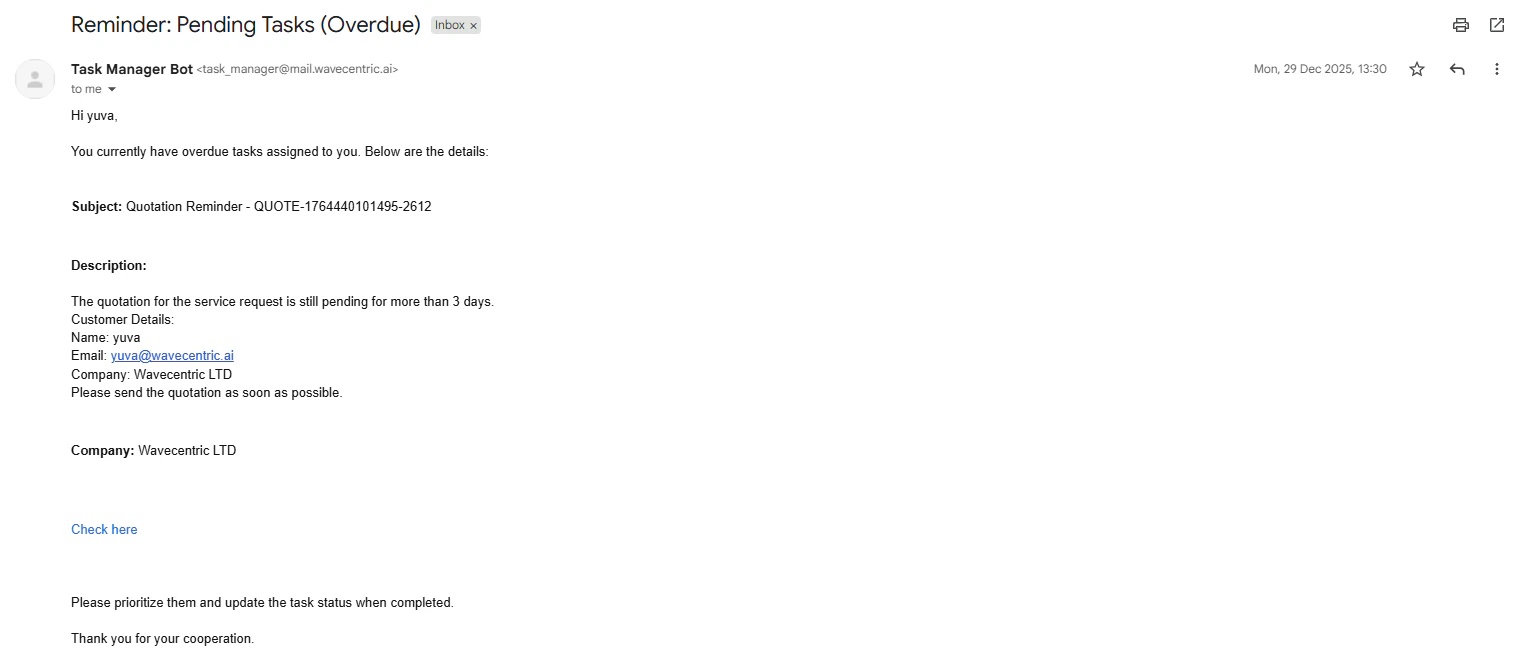
The Task Manager Bot delivering an automated critical deadline reminder.
4. Technical Enablement
The platform enables this deliverable through:Notification Services
Task Manager BotAgent: The autonomous logic responsible for time-based triggers.- Notification Dispatcher: The centralized service that routes alerts to the user’s preferred interface (In-app, Email, etc.).