
1. Overview
Intuitive and Accessible User Interface is the design philosophy that governs the entire platform. It fulfills the requirement that “the interface should be designed to be simple to use, allowing users to easily navigate through the various features without complex training.” This is essential for improving system usability and user adoption, ensuring that logistics professionals can focus on their tasks rather than learning software.2. Scope and Business Meaning
Functionally, this deliverable covers the User Experience (UX) layer. It ensures:- Zero-Training Deployment: A system so intuitive that new staff can become productive within minutes of their first login.
- Cognitive Load Reduction: Simplifying complex logistics data into clean, readable cards and dashboards.
- Navigation Fluidity: Logical menu structures and predictable interaction patterns across all modules.
3. Implemented Functionalities
The platform implements “Intuitive Interface” through its Personalized Dashboard and Visual Workflow engines.Customizable Workspace
Requirement Addressed: “interface should be designed to be simple to use” The Dashboard Personalization engine allows every user to tailor the system to their specific role:- Modular Widgets: Users can pin their most-used tools (e.g., “Open Tasks”, “Recent Inquiries”) to their home screen, removing clutter.
- Role-Based Views: Managers see high-level KPIs, while operators see tactical lists, ensuring relevancy. Refer: Dashboard Personalization
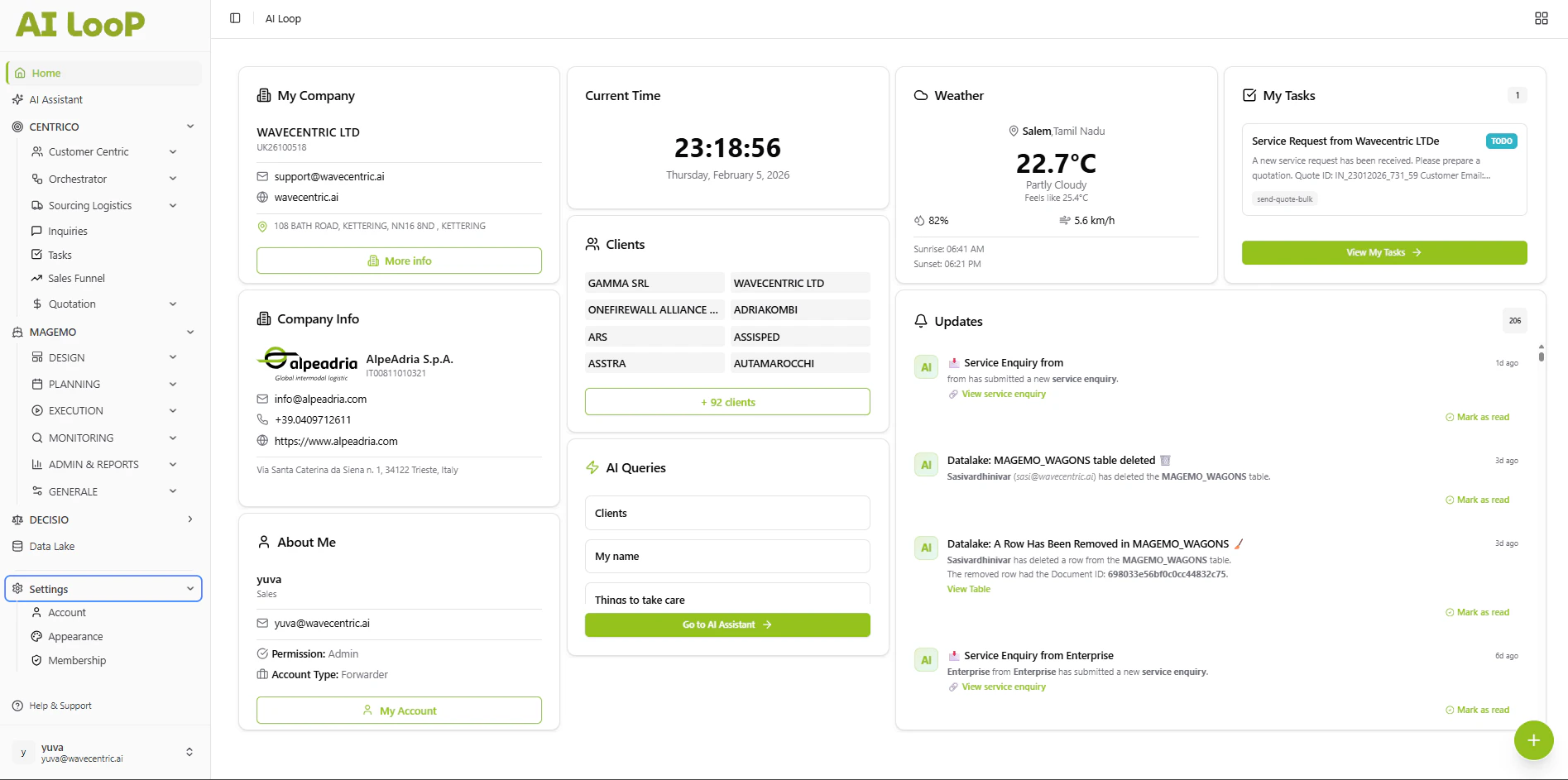
The central hub features a clean, high-contrast layout that surfaces critical information immediately.
Contextual Assistance
Requirement Addressed: “navigate… without complex training” The system assists users proactively, reducing the need for external manuals:- Visual Cues: Color-coded statuses (Green for Success, Red for Action Required) provide instant comprehension of task states.
- Input Helpers: Smart fields (like the Data Lake’s Date Helper) guide data entry, preventing errors before they happen.
- Self-Explaining Forms: Complex logistics forms are broken down into stepped “Wizards” (like the New Inquiry process) to guide the user linearly.
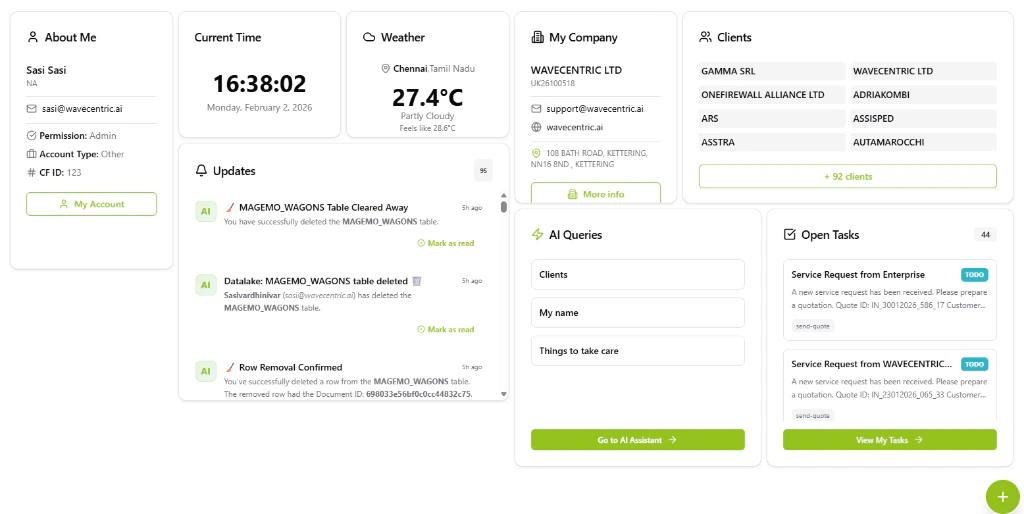
Modular widgets allow users to design their own 'perfect' interface, improving comfort and adoption.
4. Technical Enablement
The platform enables this deliverable through:Modern Frontend Architecture
- SPA (Single Page Application): Ensuring instant page transitions without reloading, maintaining user focus.
- Responsive Design System: A unified design language ensures that buttons, inputs, and layouts behave consistently across the entire application (Analytics, Data Lake, CRM).